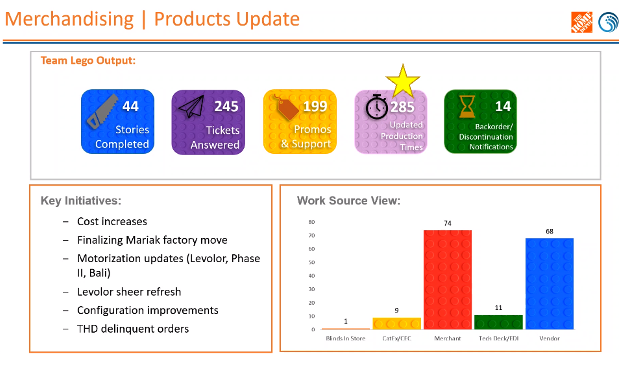
HOME DEPOT - BLINDS.COM UPLOAD PRODUCTION TIME PROCESS REDESIGN AND OPTIMIZATION
Client: The Home Depot
Role: Sr. UX Designer
Tools: Figma
OVERVIEW
SCOPE:
The Product Setup Team has to upload production times from each vendor which gets translated to “Estimated Ship Date” on the customer-facing website for the following websites:
• The Home Depot
• Blinds.com
• AmericanBlinds.com
• Justblinds.com
• Blinds.ca
The scope of this project was to redesign and optimize this tedious and manual process for the Product Setup/Merchandising team.
CHALLENGES:
• Deep dive and understand all the steps the Product Setup team takes in order to upload production times on the enterprise application (Admin Screen)
• Design a new way to upload production time.
• Utilize The Home Depot branding guidelines for enterprise applications - Pallet.
ORIGINAL WORKFLOW - ETHNOGRAPHIC STUDY
The Product Setup team had to create their own workarounds in order to address some of the obstacles in updating the production times for all the websites.
In order to understand exactly what their workflow was, I sat with the team members and had them share their screens with me and walk me step by step, and show me exactly every single thing they did as I took notes of the workflow.
Steps:
The team received the production times from different vendors in different formats: email, excel sheet, word document, pdf, etc.
Wufoo: The product setup team enter all the product IDs that were affected by production times from the vendor into wufoo and then click “submit”.
This wufoo gets emailed to the rest of the team along with the attached excel sheets, word documents, from the vendors .
Wufoo
4.- Next, another member of the product setup team (whoever had bandwidth) continues the workflow by opening the excel sheet with all the product ids for all the sites along with the enterprise page (“admin”) and begin to go line by line, site by site, updating each production time according to what the vendor has noted.
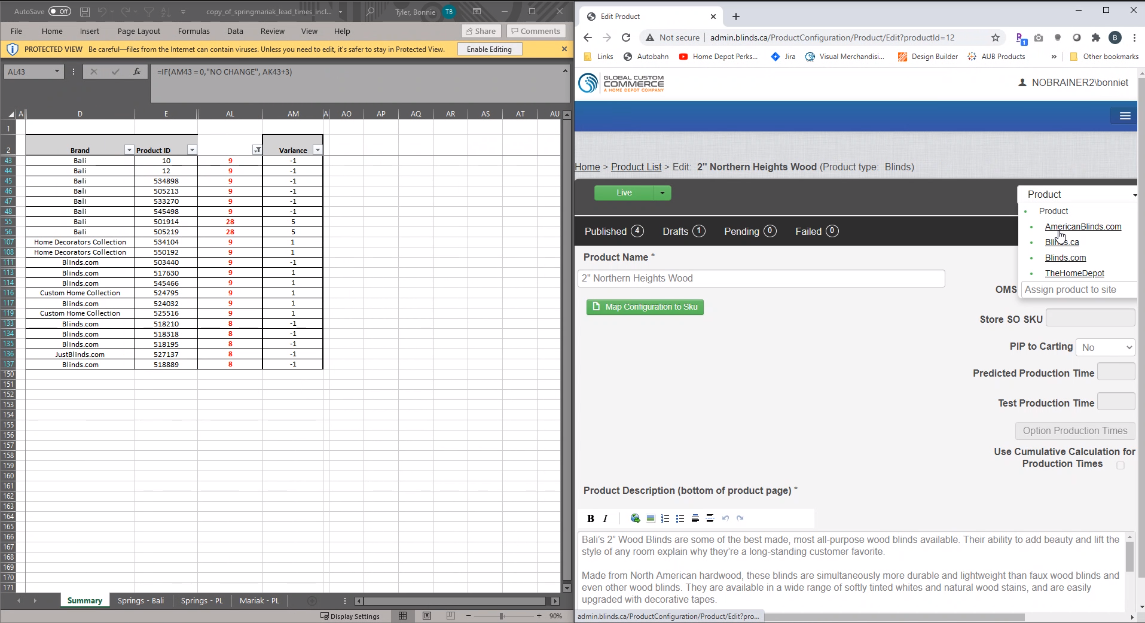
Excel on the left, Admin on the right
Takeaways from Ethnographic Study
I was able to identify pain points the Product Setup team were having with this tedious process.
• One of the major pain points was that they had to go site by site, product by
product updating each production time.
Other pain points that I was able to identify were:
STRATEGY
Collaboration: I collaborated closely with the PM and Dev Tech Lead to identify:
• How we could automate and simplify the process for the user.
• Understand technical limitations with Admin backend and understand what
was actually feasible.
Things we had to take into consideration:
• All vendors send production time days on a weekly basis to the Product Setup Team via email
• Vendor provides a production time, plus + 3 days buffer that we add.
• Some of the vendors send them random
• All production times are entered manually into the enterprise application
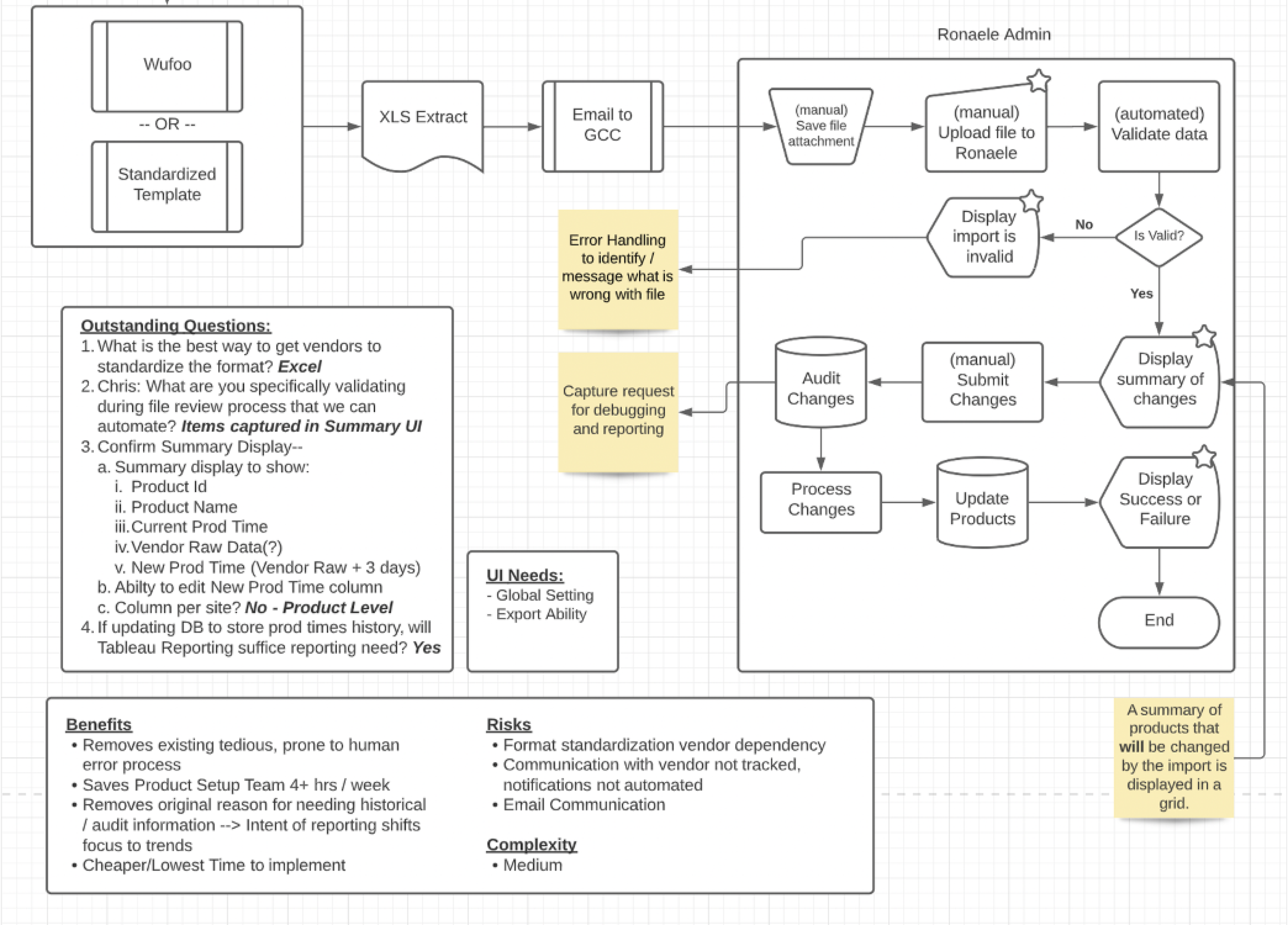
Low Fidelity Wireframing
After figuring out the process flow, I started ideating and sketching.
All along the way, I gathered feedback from the product setup team. Took that feedback and reiterated the designs based on the feedback.
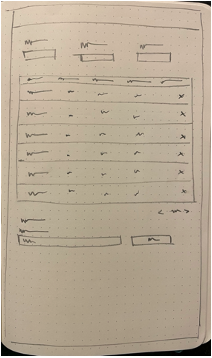
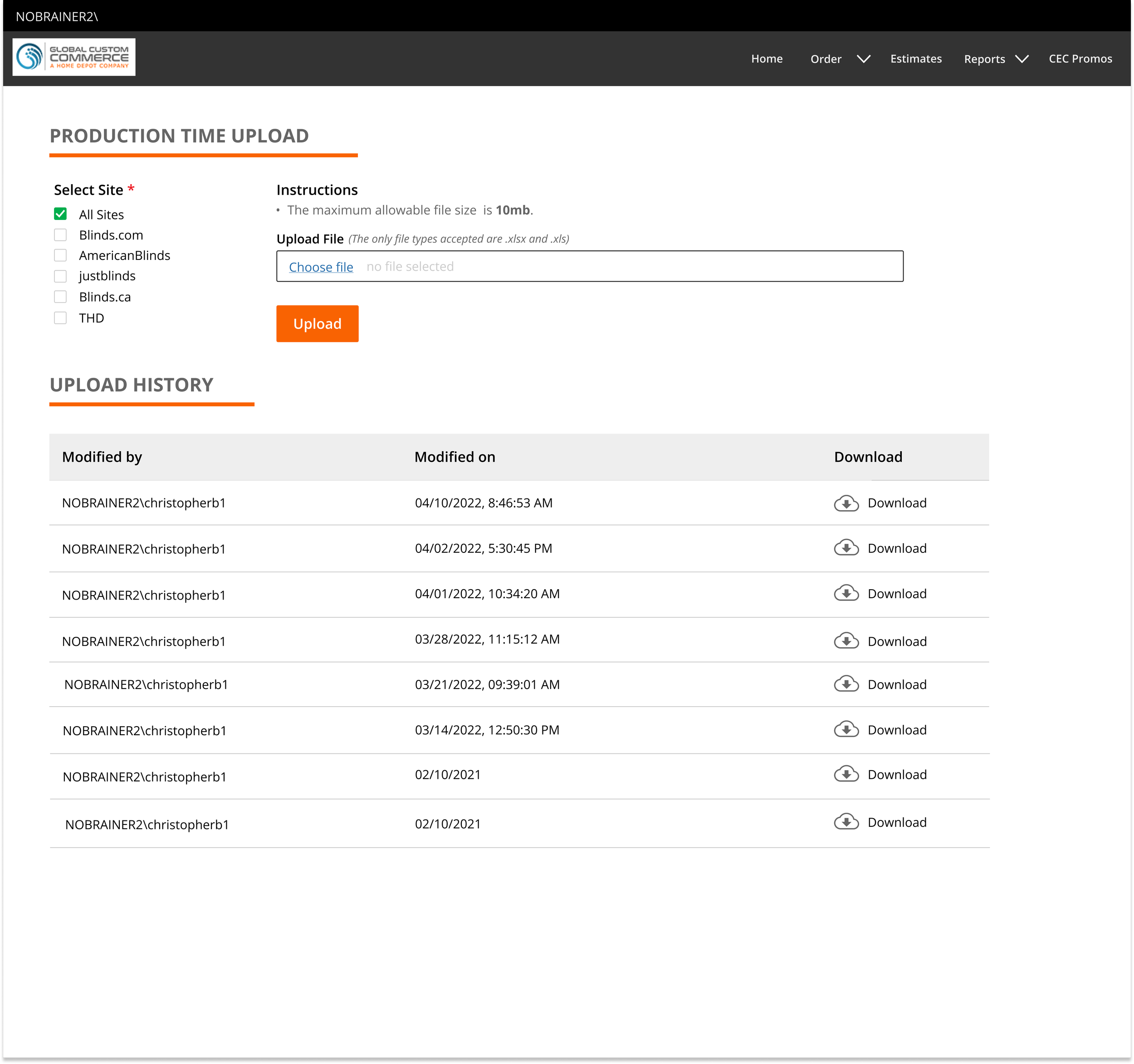
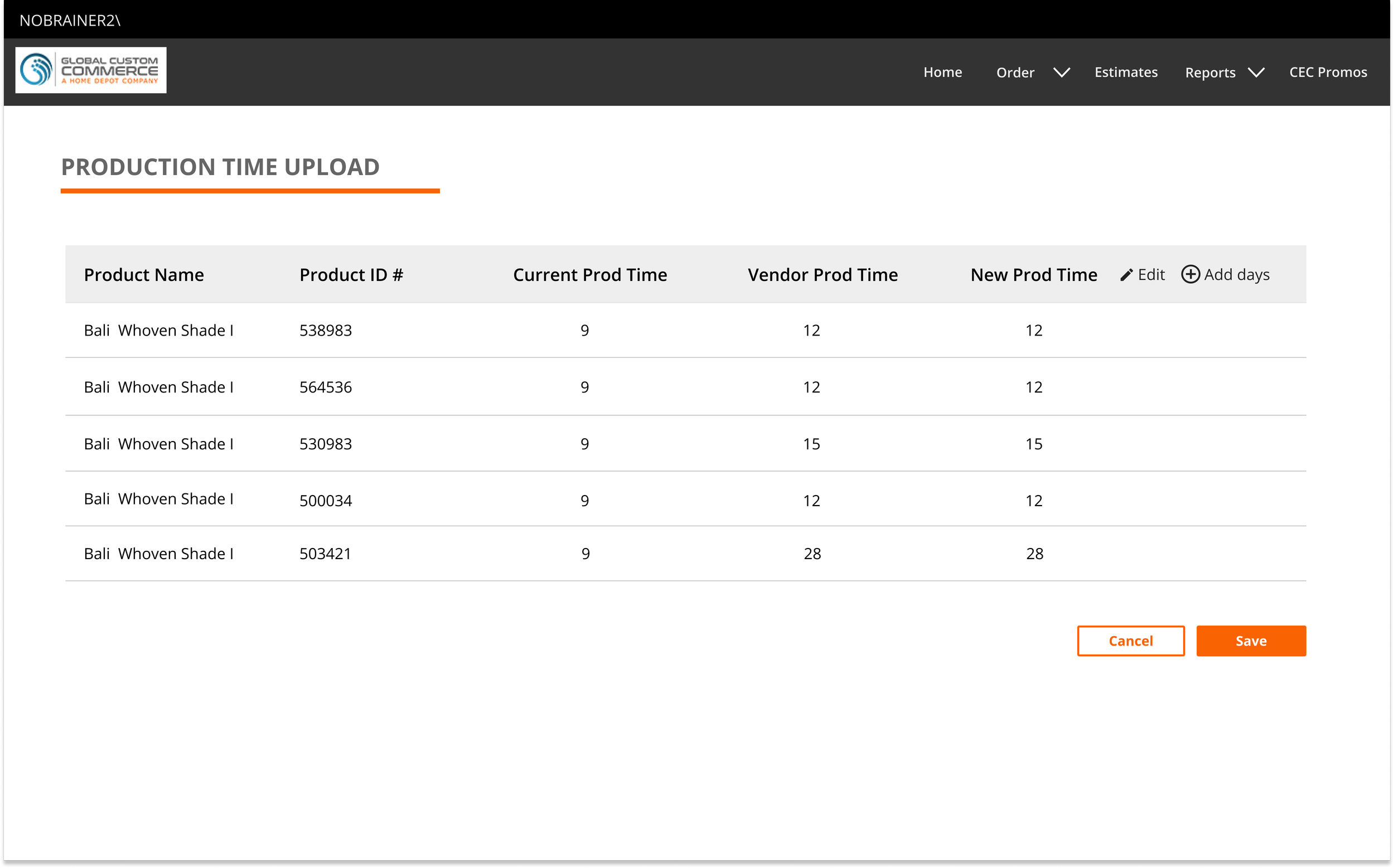
Final Upload Production Time - High Fidelity Wireframes
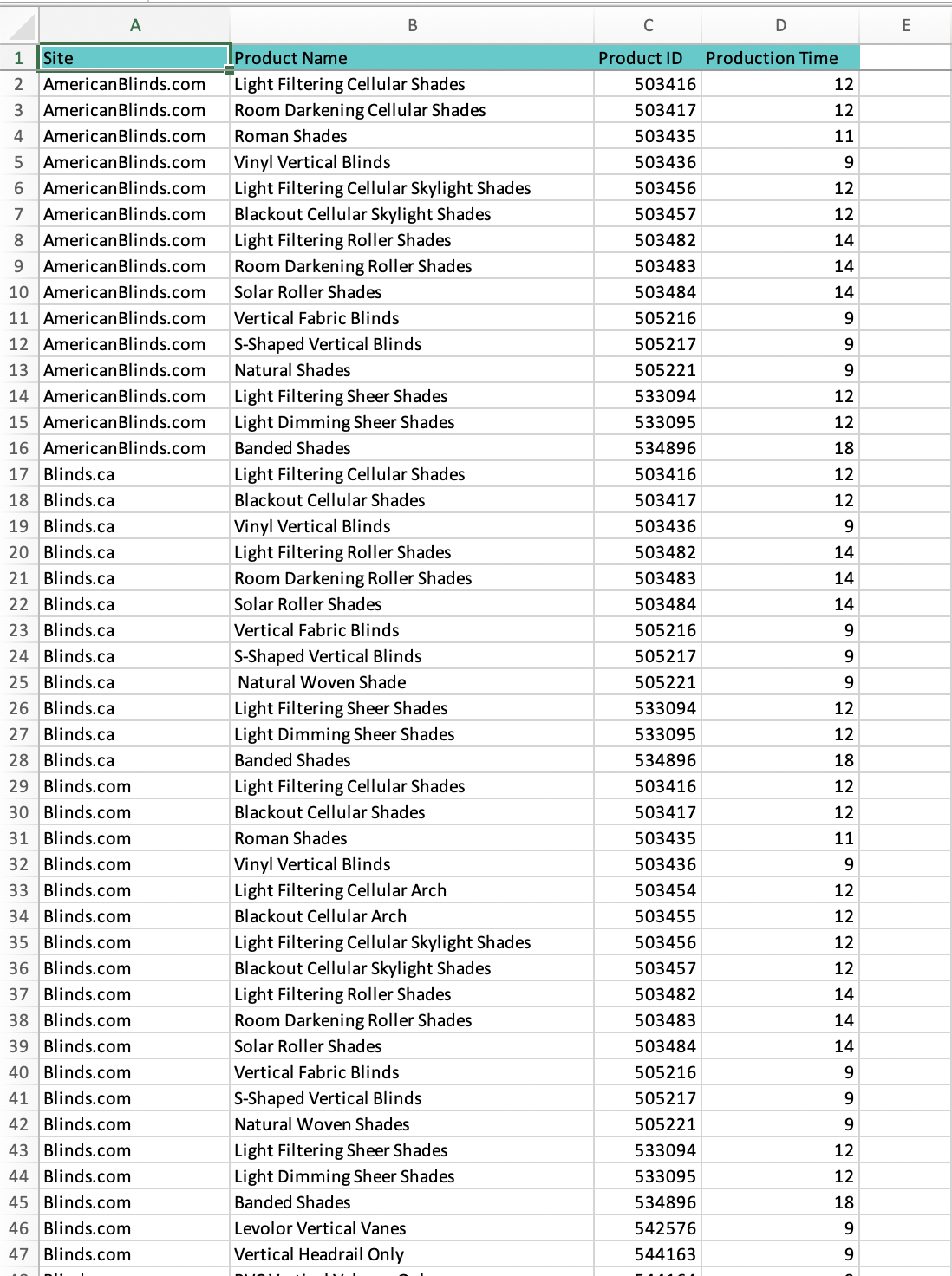
Standardized vendor production times
Results
As a result of our collaboration and implementation of the new upload production time process:
The Product Setup team was able to decrease the time spent on uploading production times to the enterprise application (“Admin”)
“We've officially removed the product marketing team from performing production time updates.
Chris processed his first weekly update for a major vendor (SWF/Mariak) this morning in under 5
minutes. We can't thank you guys enough!”- Merchandising Director