ELECTRONIC FLIGHT FOLDER FOR PILOTS
Client: United Airlines/Flight Operations
Role: UX Designer
Team: Lead UX Designer and Myself
Tools:



OVERVIEW
SCOPE:
United Airlines Flight Operations conversed with four major aviation companies to create an application for pilots to use during the different phases of flight. The companies were Thales, Aviobook, United Airlines Crew IT, and Foreflight. The runner up would win the bid to design and build the full application. We were the runner up to Aviobook only due to time constraints on building the product for a certain date. Our design beat ForeFlight and Thales’ designs.
The scope was to design a new Electronic Flight Folder for United Pilots. The idea of this new application would be to streamline the pilot’s workflow and streamline the phases of flight in one application. They current have a fragmented workflow where they have to use several third party vendor applications to get the information they need. This is one of the major pain points for the pilots. We created a design based on the minimal viable products that were given to us by United Airlines Flight Operations using Lean UX Design principles and additional information provided by United Airlines Flight Operations.
CHALLENGES:
• Address the problem of designing an application that would take into account the realities of glare, turbulence, and low light conditions that pilots deal with in the cockpit.
• Account for how the pilot would access the different phases of flight given the restricted conditions.
• Take into consideration the fact that the pilots would not be holding the device in their hands when in the cockpit. The device is connected to an arm which sits on the side of the cockpit. See image below
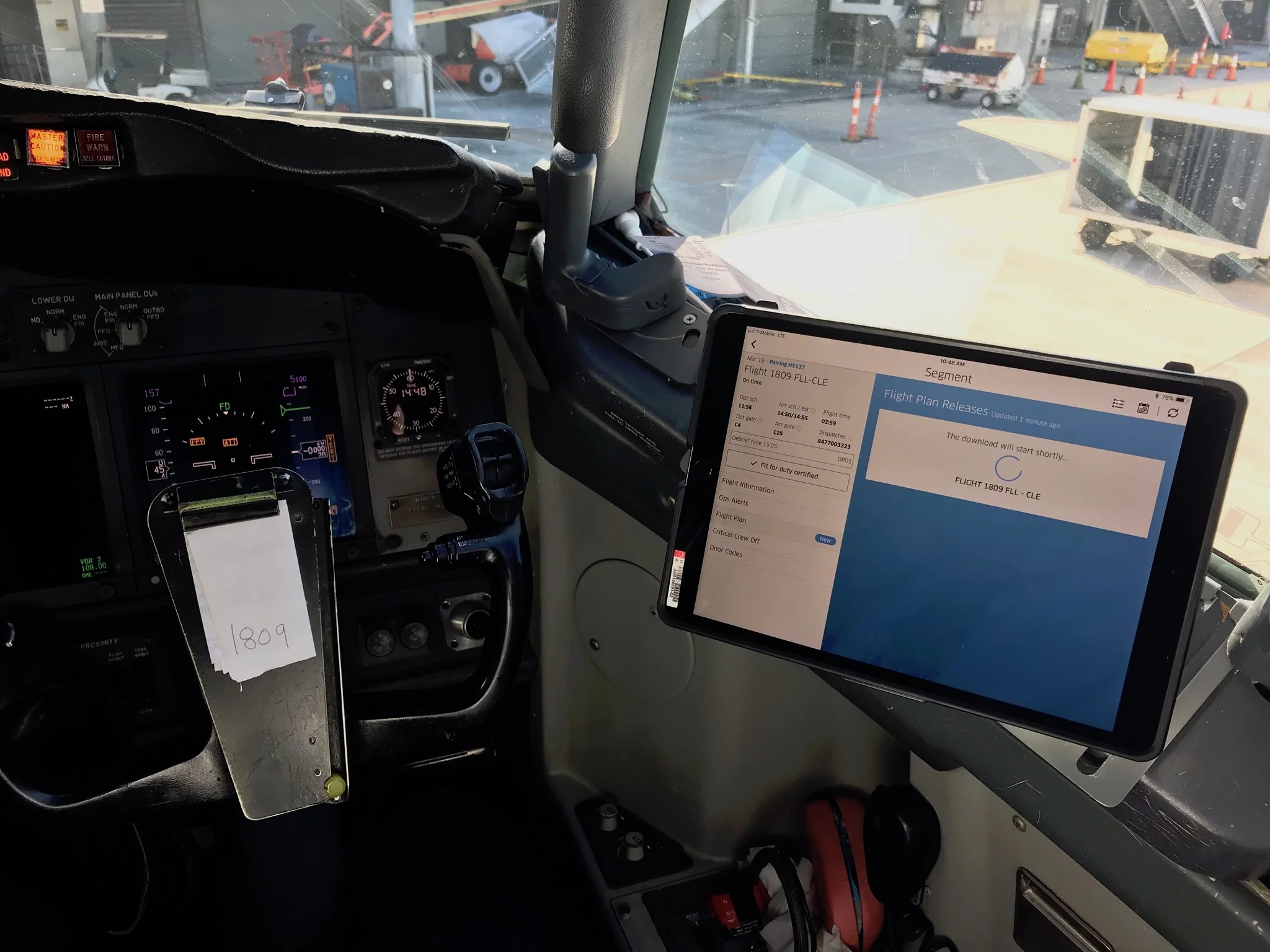
Pilot’s iPad with mounts are suction-cupped to the windshield in the flight deck. The lid can be unclipped, then the case and iPad can be attached to the mount:
MVP - Minimal Viable Products:
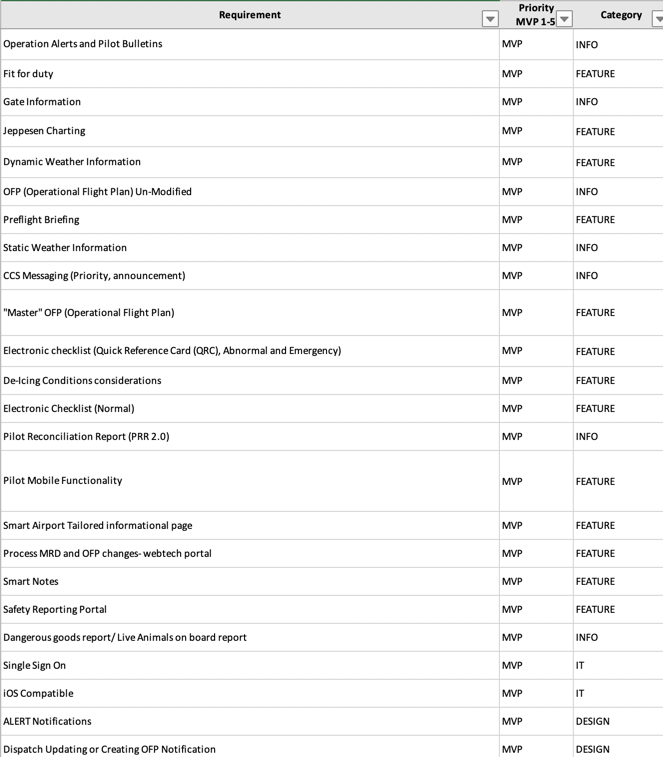
We were given a list of minimal viable products that were needed to be incorporated into the design for the EFF.
Things we knew:
- Standard device for pilots is the iPad Pro 10.5.
- There are different phases of flight and there are different activities the pilots have to do in each phase.
- We had to design to account for the issue of glare which was a major pain point for pilots. At night the device currently creates an ambience in te cockpit from the graphics on the device which makes it hard to read flying instruments.
- We also knew that jumping around through so many apps was a major pain point for the pilots.
Some of the MVPs that we had to design into the new EFF.
Discovery and Ideation
This project started with whiteboarding sessions between the Lead UX designer and myself. We got together to discuss the features, goals, requirements, and how was the best way to solve the design problem at hand. In this case, the design problem was to create a streamline workflow for the pilots to use. Criteria to take into consideration was their current workflow and pain points.
Defining the right user work flow for the pilots was one of the most important parts of the design process. The complexity of the product required creating one streamlined workflow.
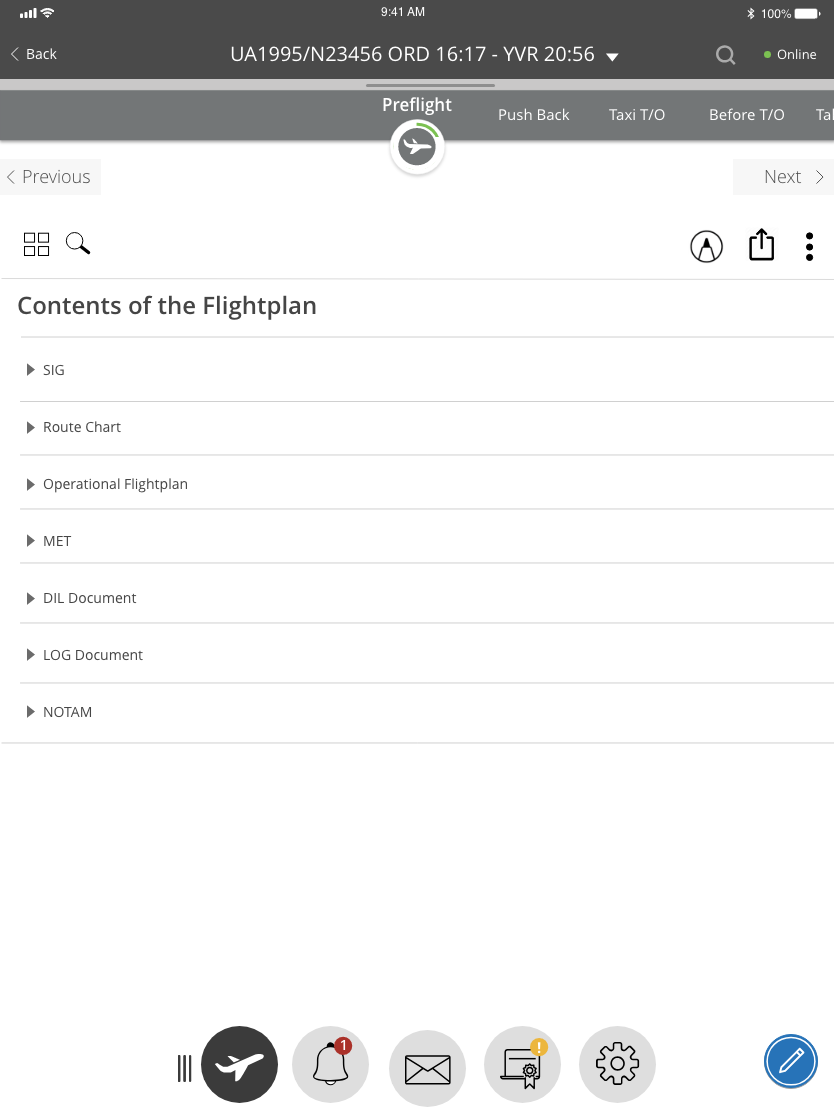
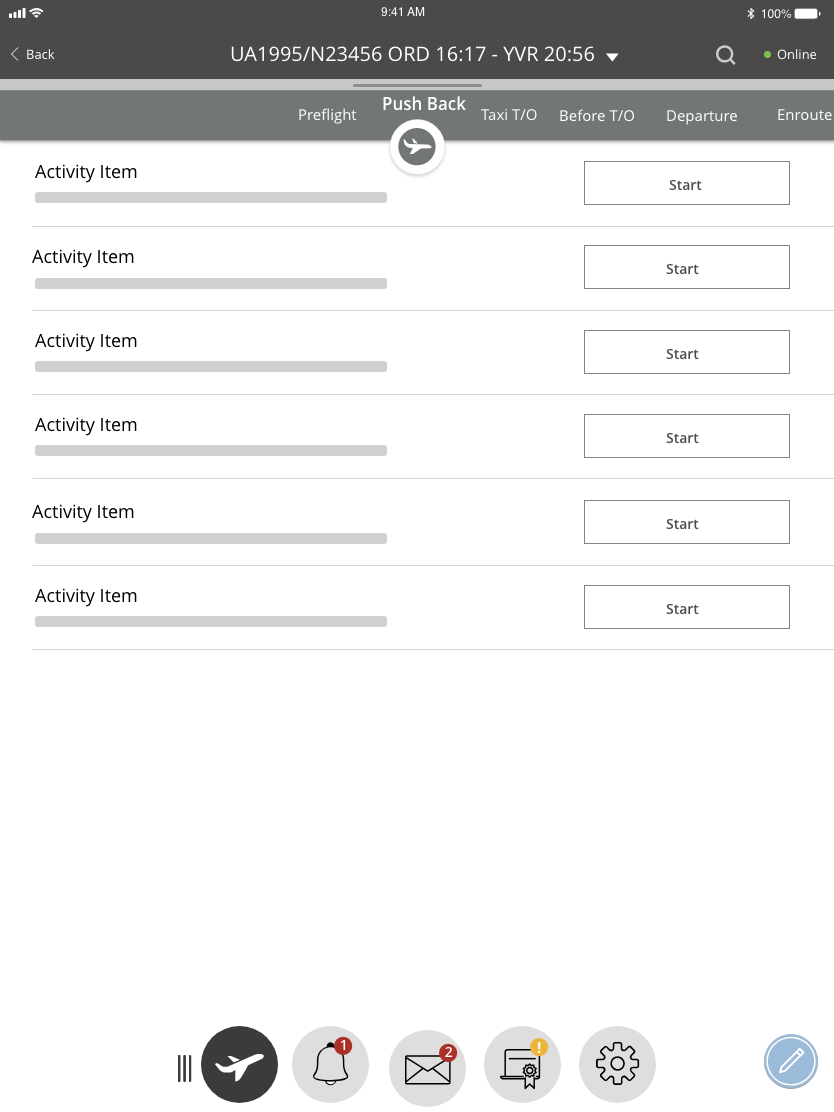
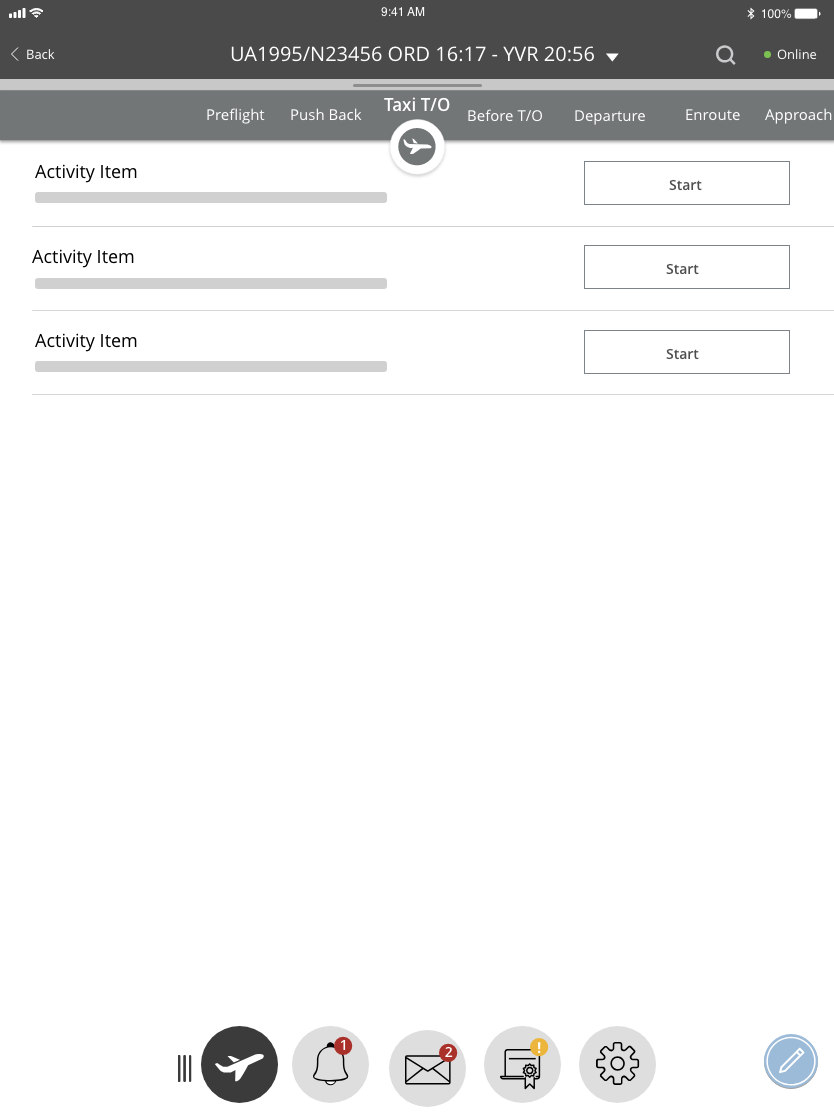
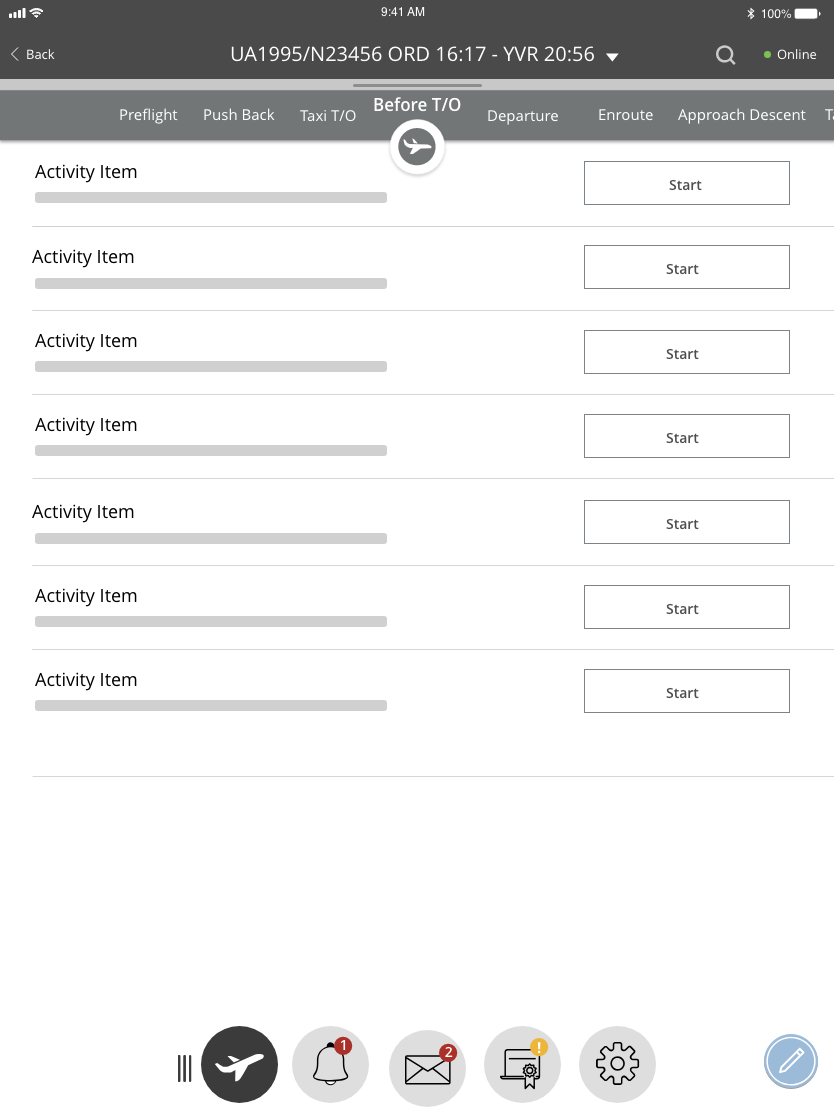
The process would start with the pilot logging into the application. After that the pilot would look at the general schedule and this would be the departure point for the application. Selecting a trip would start the workflow for the different phases of flight. Each phase of flight would include complex features that the pilot would need to acknowledge or actions the pilot would need to perform.
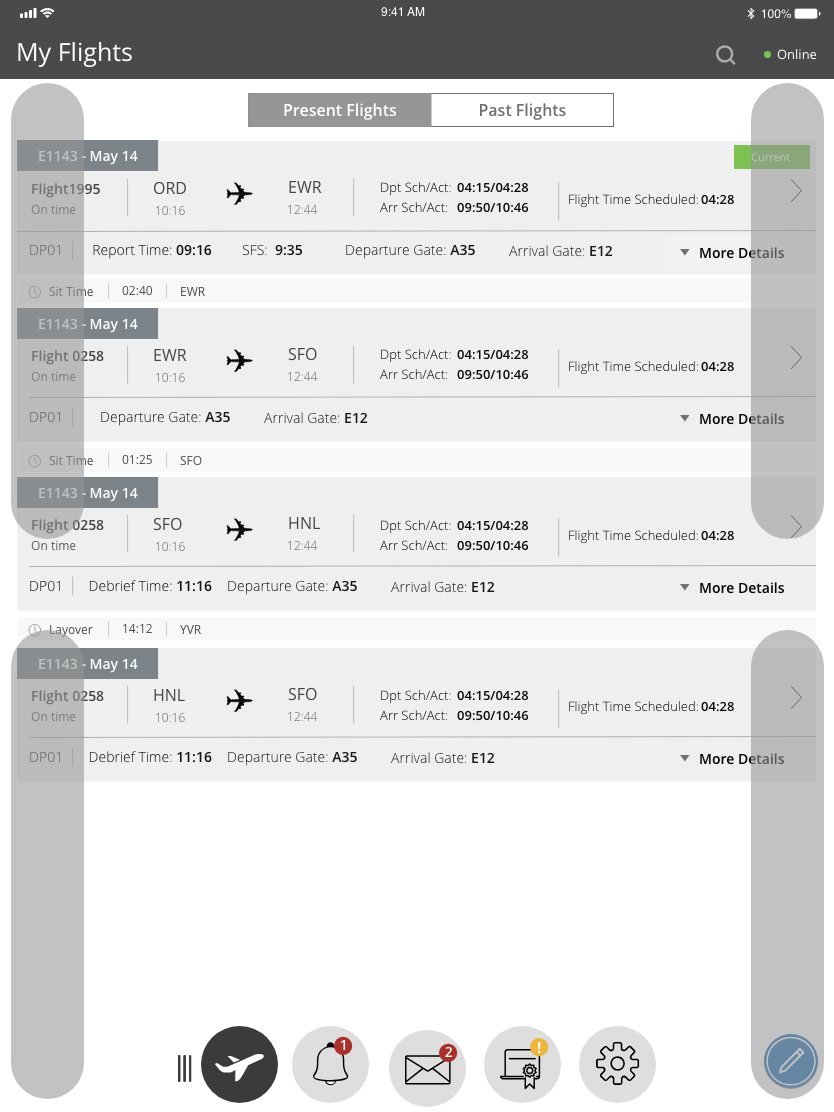
Captains usually sit on the left and the First Officers sit on the right in the cockpit. This meant that when we were designing the navigation we had to take this into consideration the fact that Captains and First Officers would be interacting with the device differently. We had to make the way the pilots touch the device to navigate through the application was an easy task. Our solution to this problem was to make the navigation menu moveable to either side of the screen of the device or dock it to the bottom as shown in the prototype and the wireframes.
The most effective way to define and show the flows was to use low-fidelity wireframes with connections between the particular elements of the interface and the pages.
Initial concept wireframes and prototypes were created based on the information we gathered. Invision was used as the tool for this prototype.
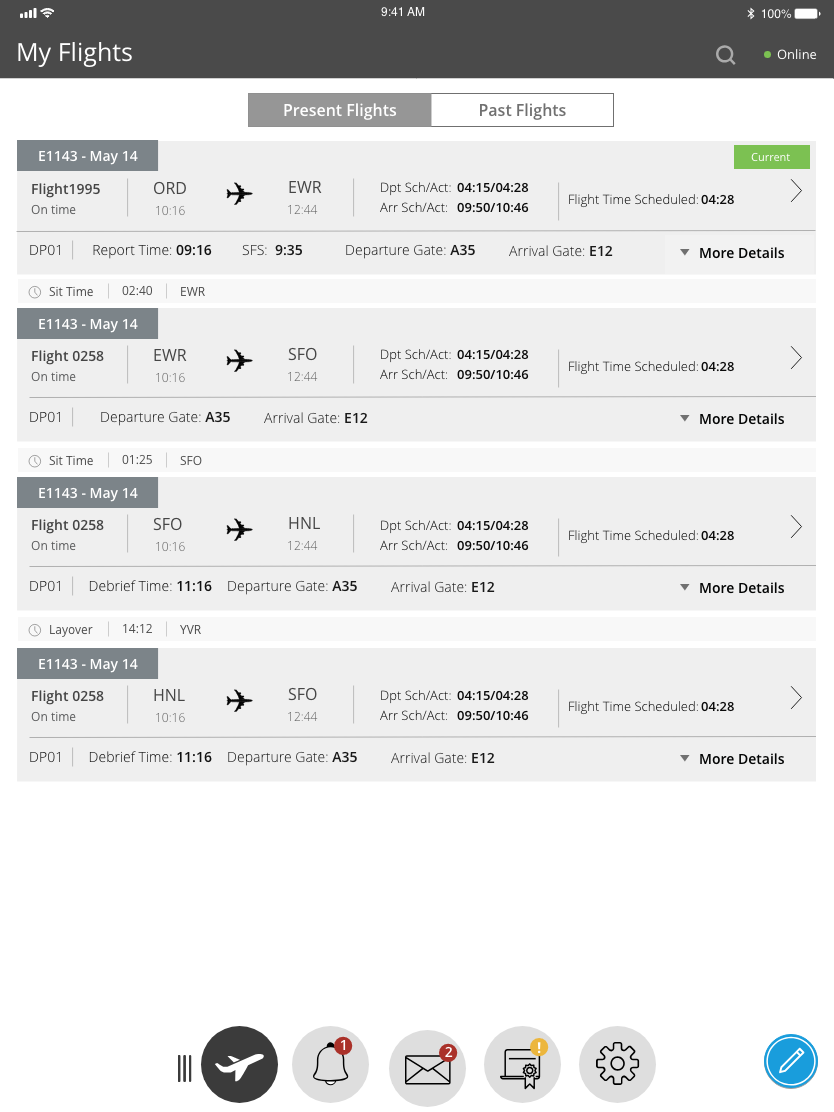
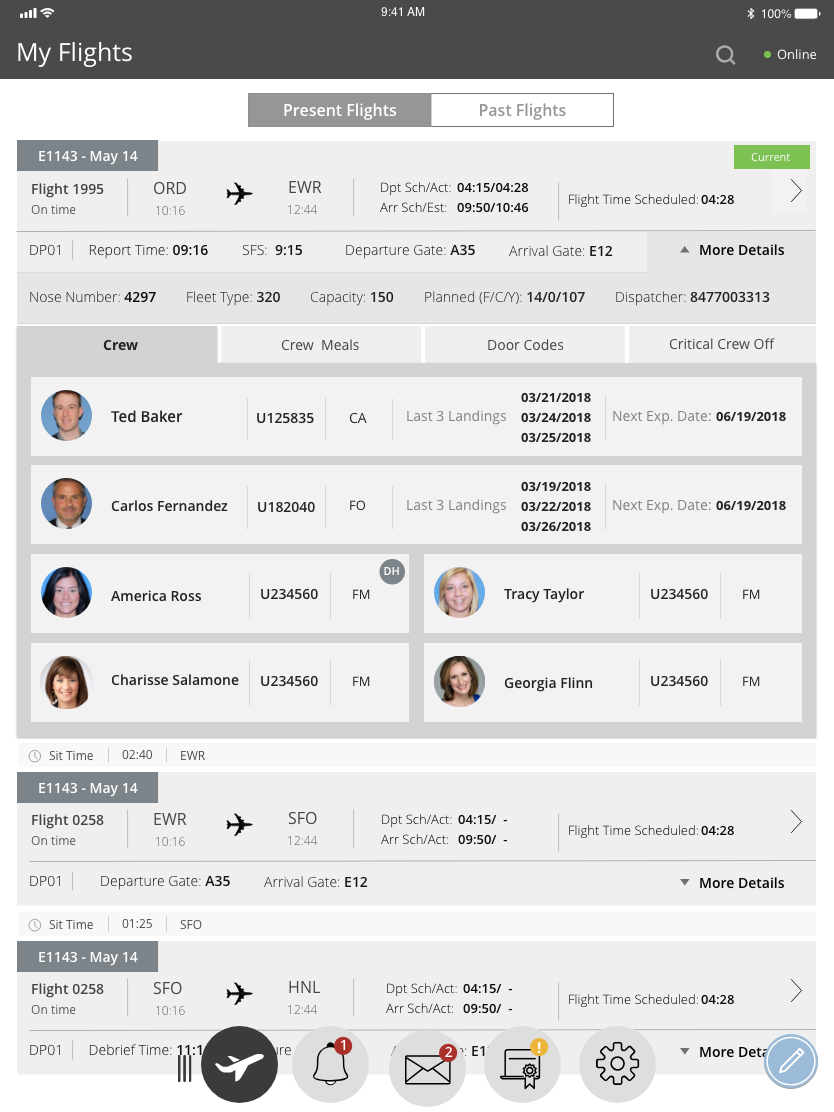
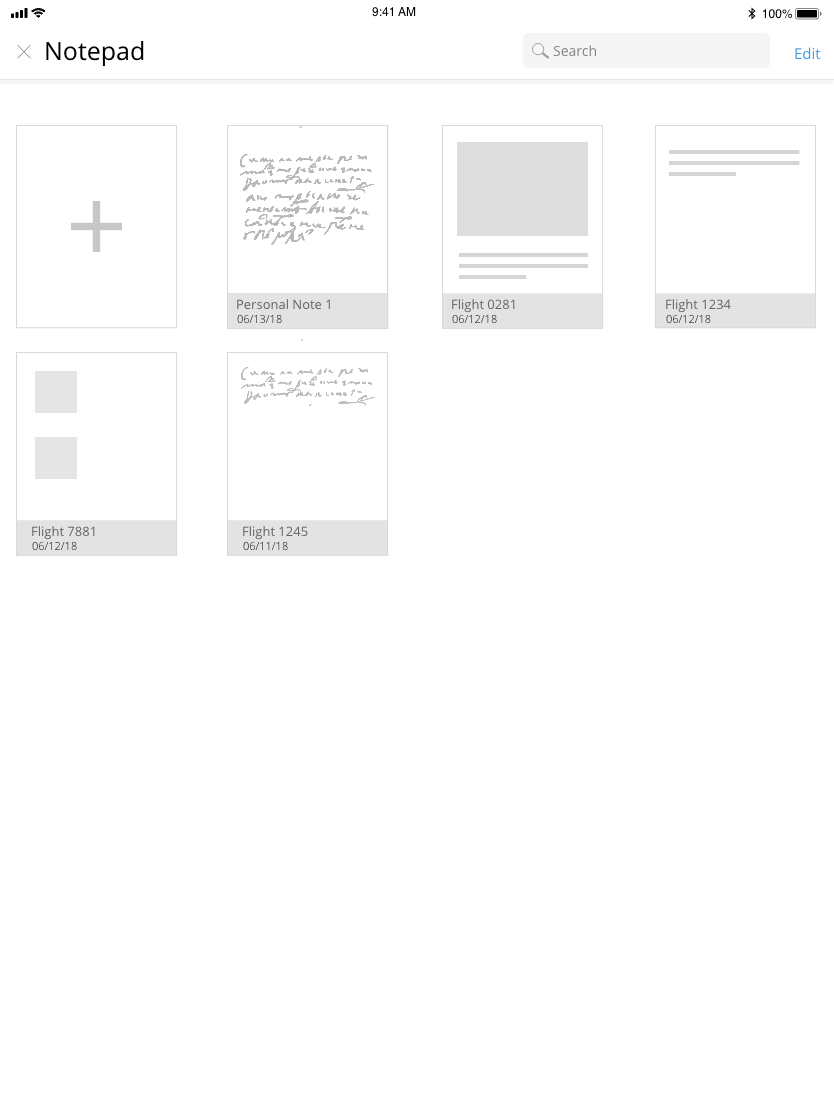
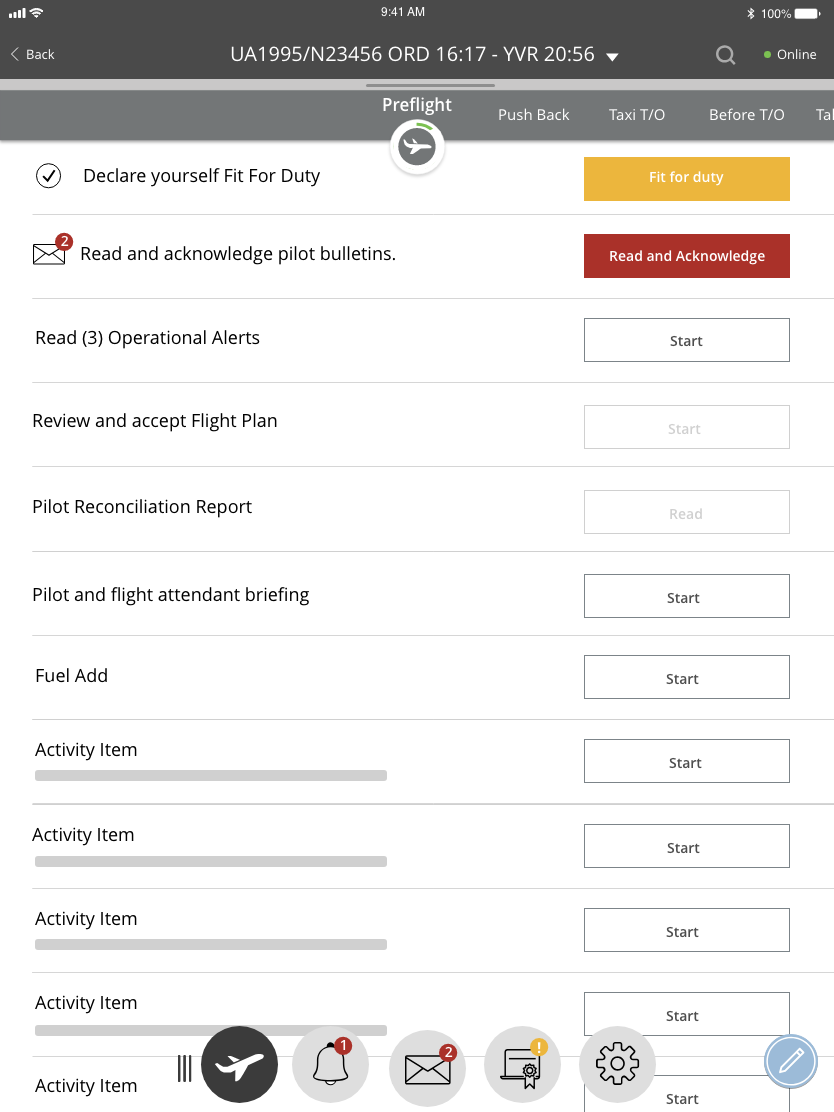
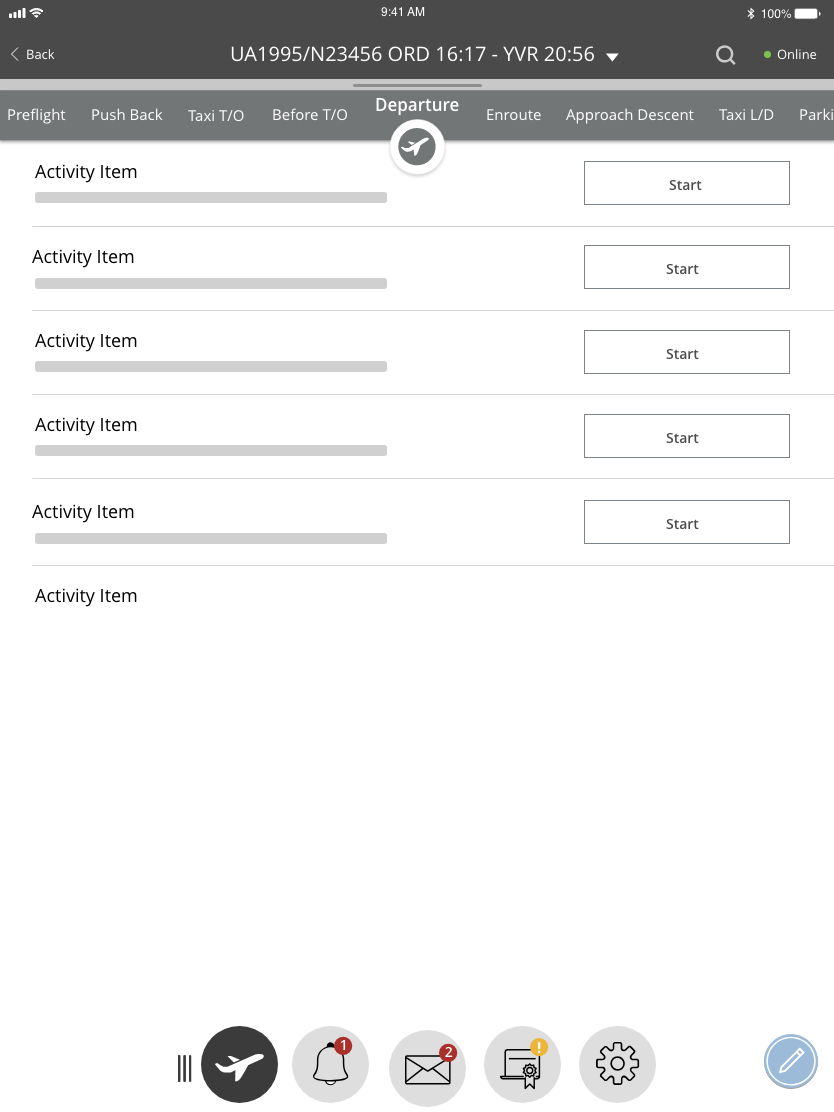
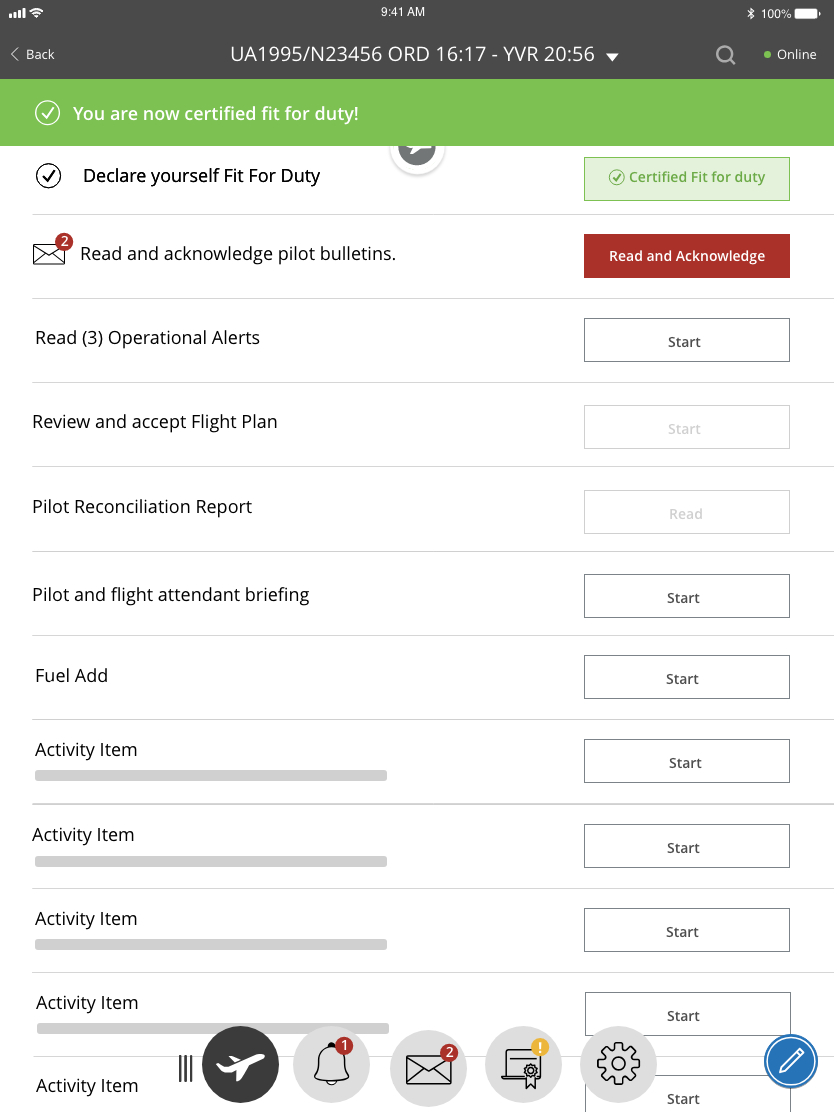
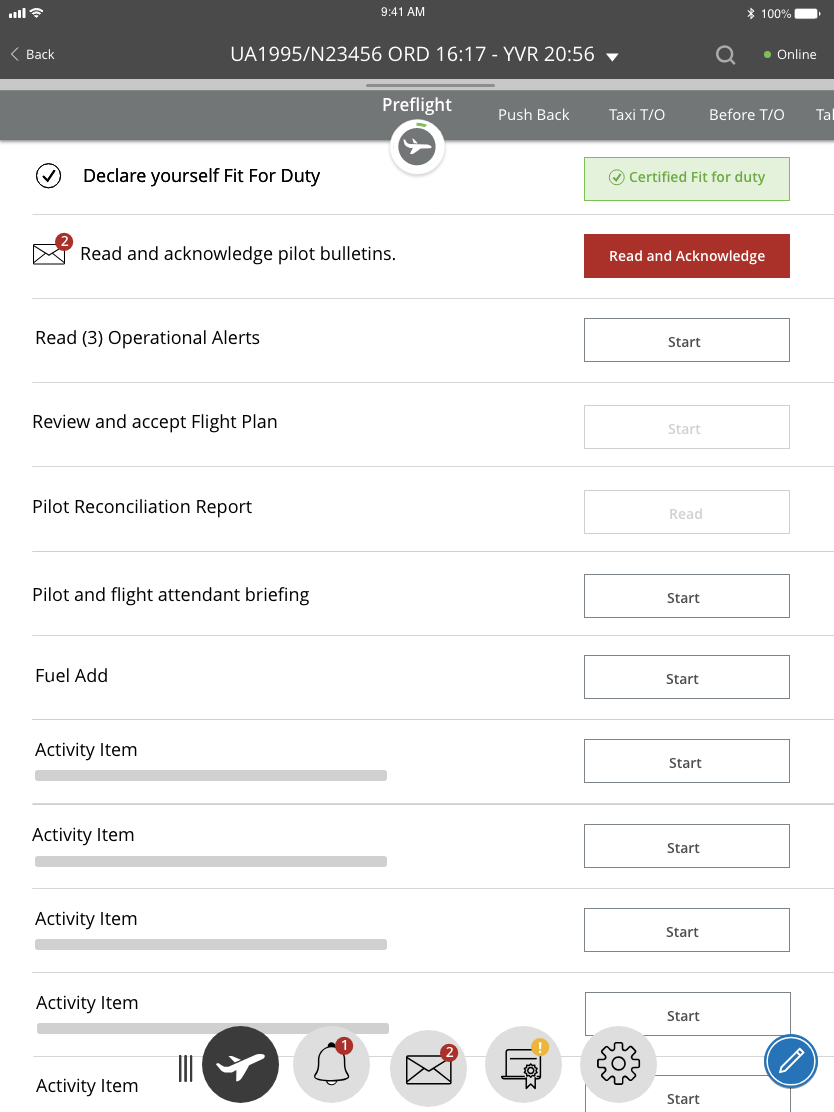
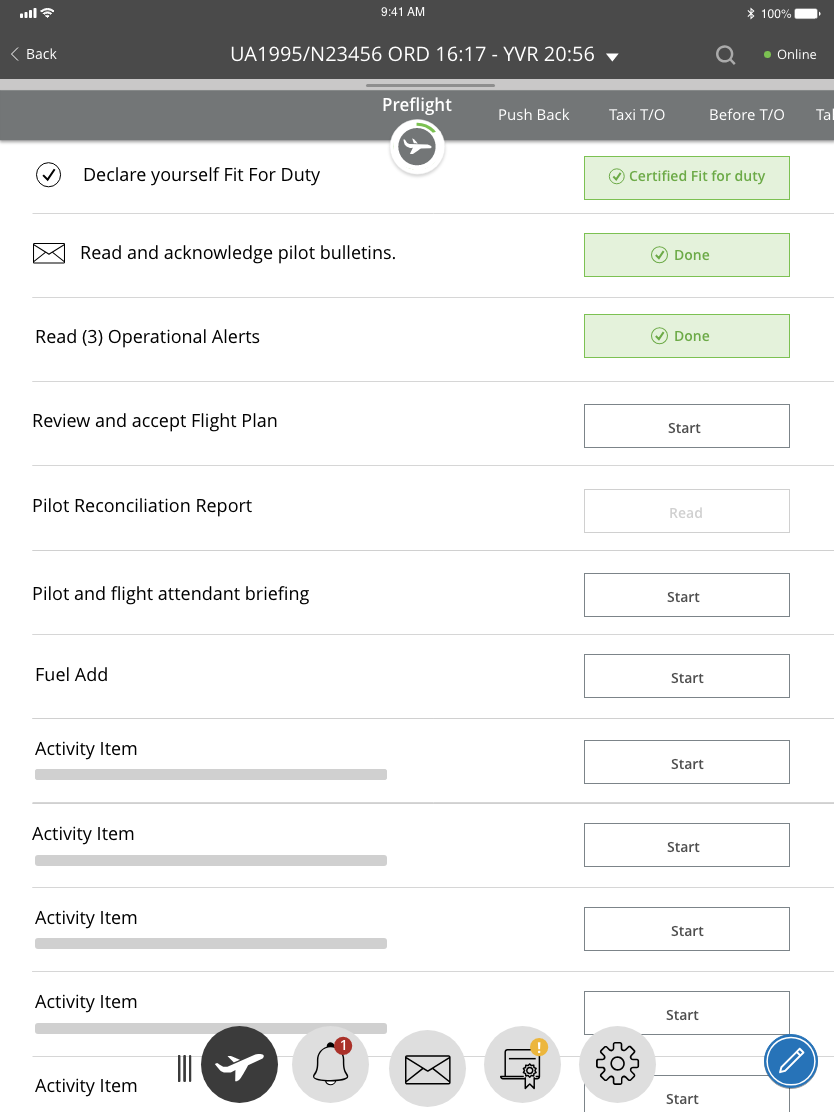
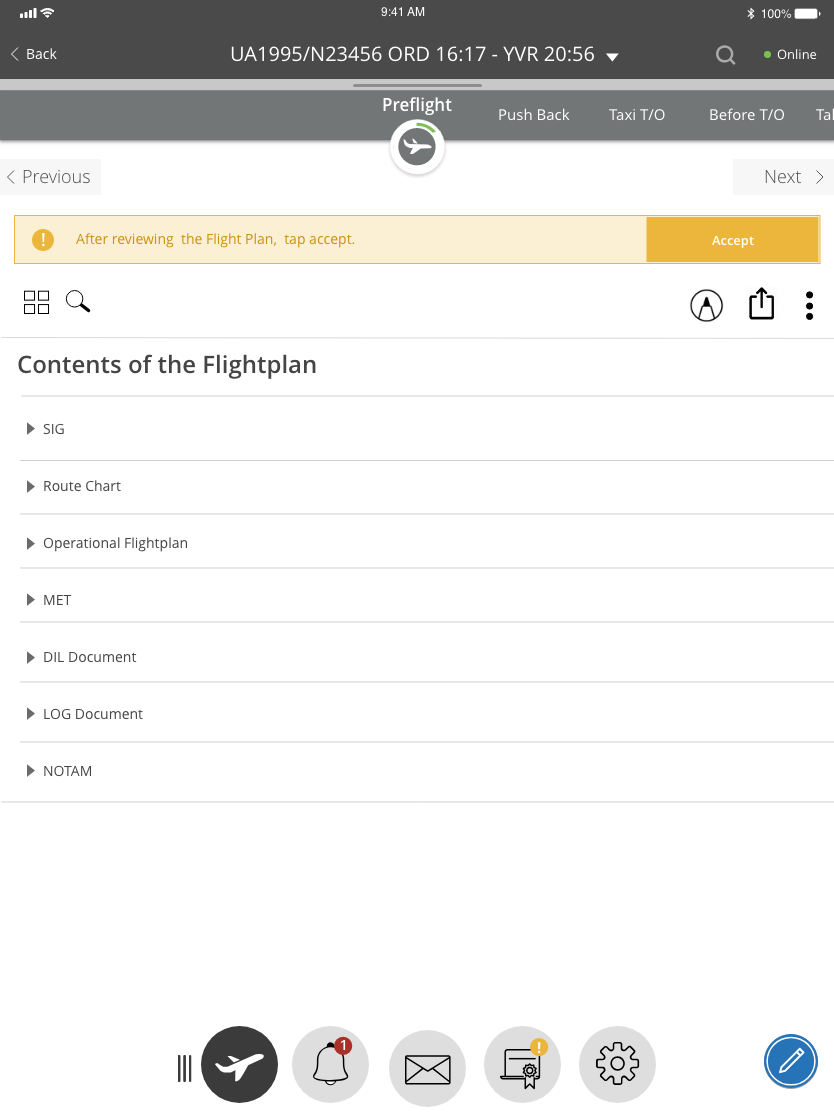
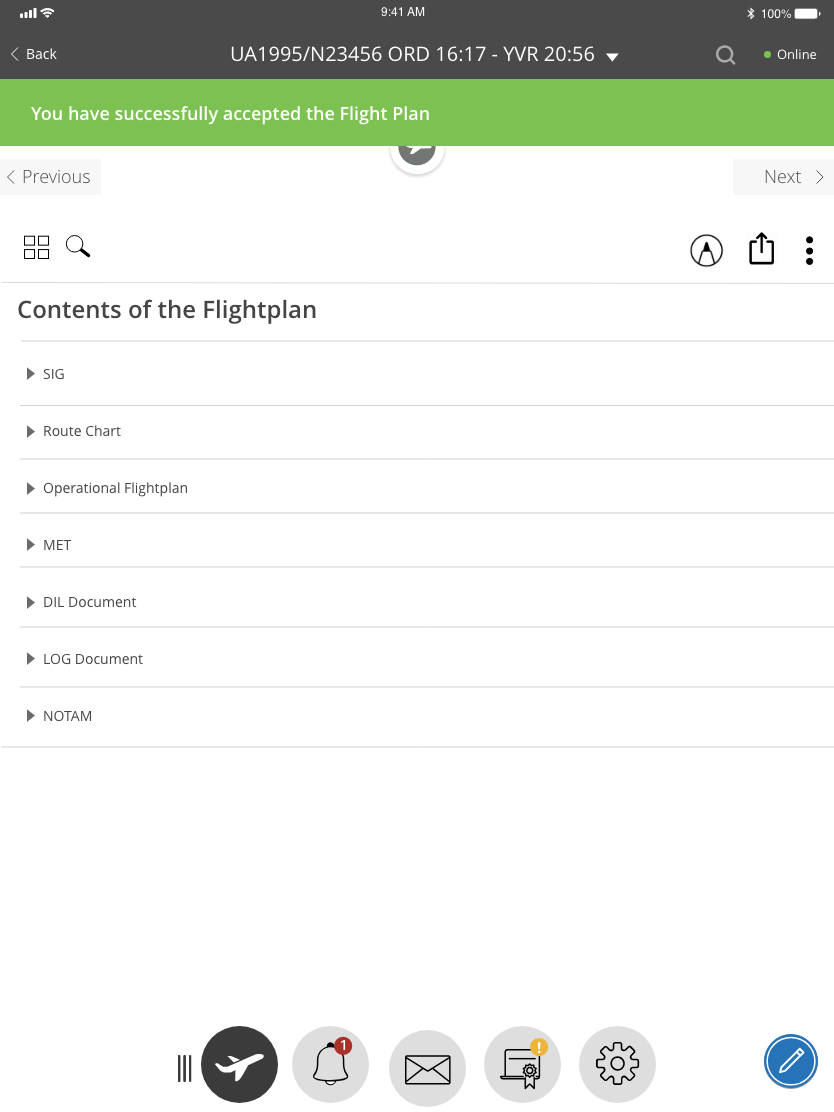
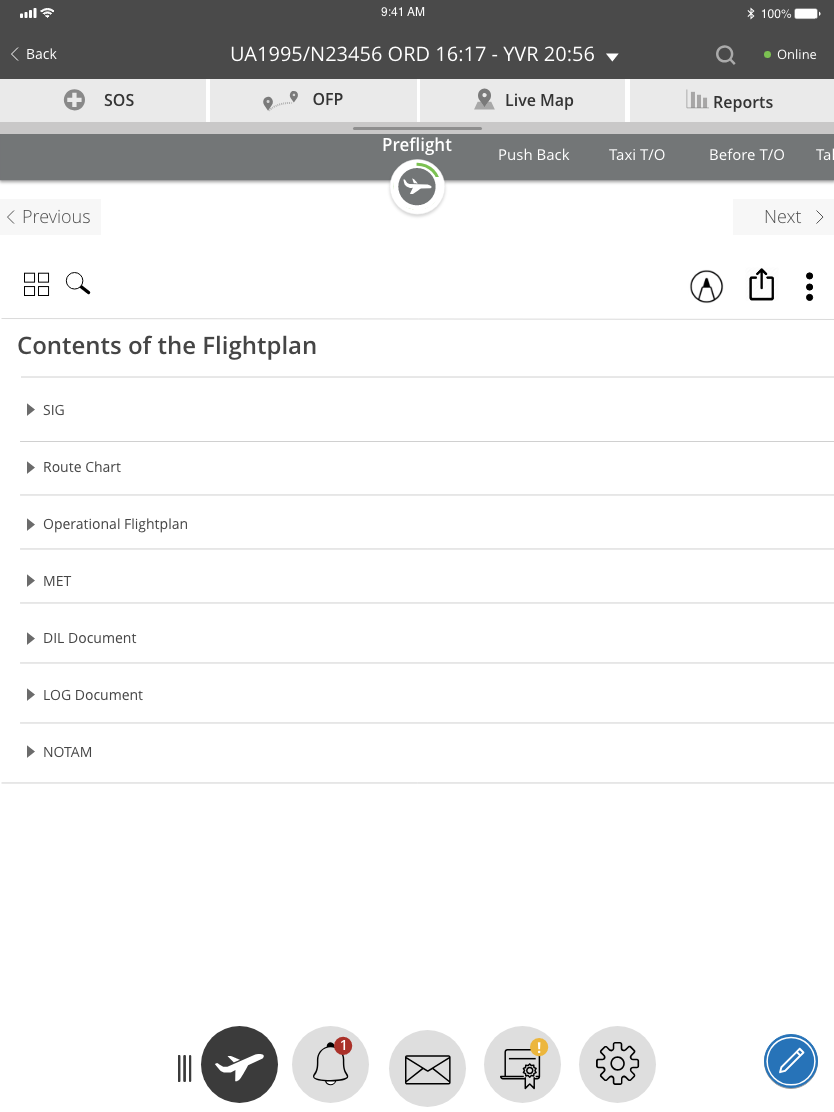
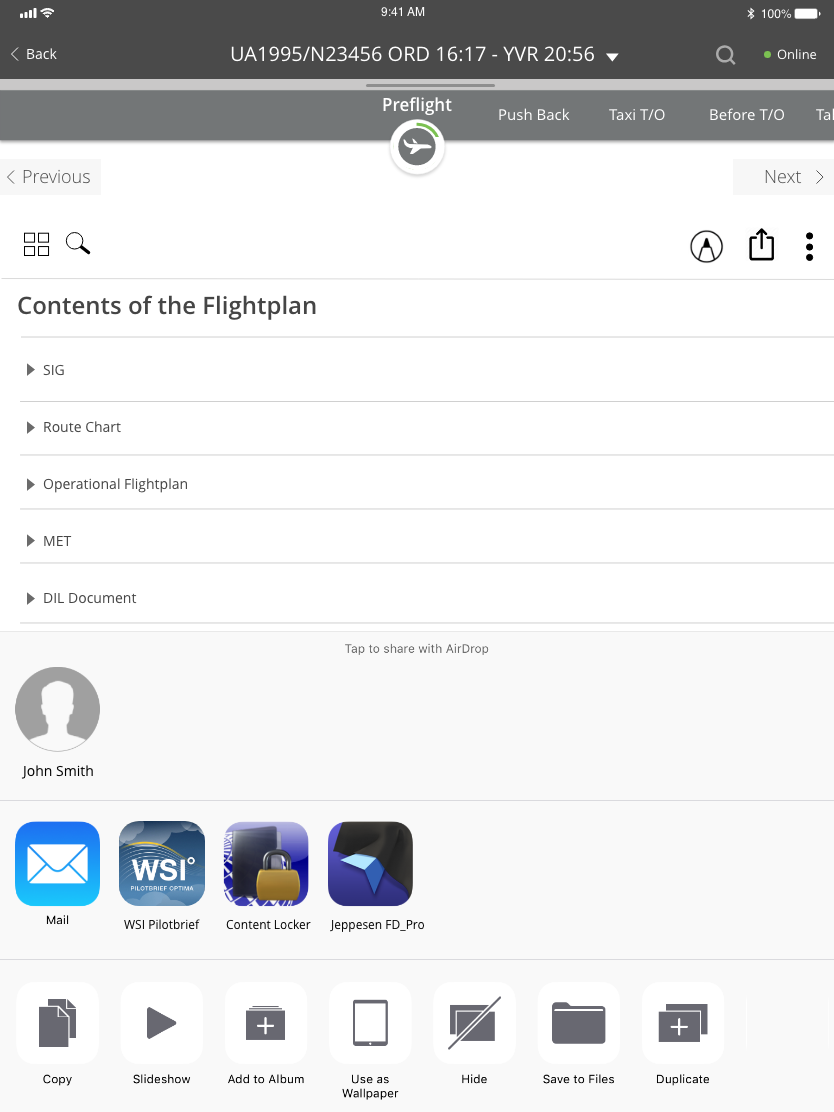
Portrait Mode in Daylight Mode - Low Fidelity Wireframes
After review with key members of our team and with senior managers who were knowledgable about this project, we iterated our work and refined the workflow to a more seamless one. The screens are laid out in sequence, showing how the pilot would navigate through the application and through the different phases of flight taking into consideration that he/she can always leave the page they currently are on and navigate elsewhere if needed without losing their place in the previous page.
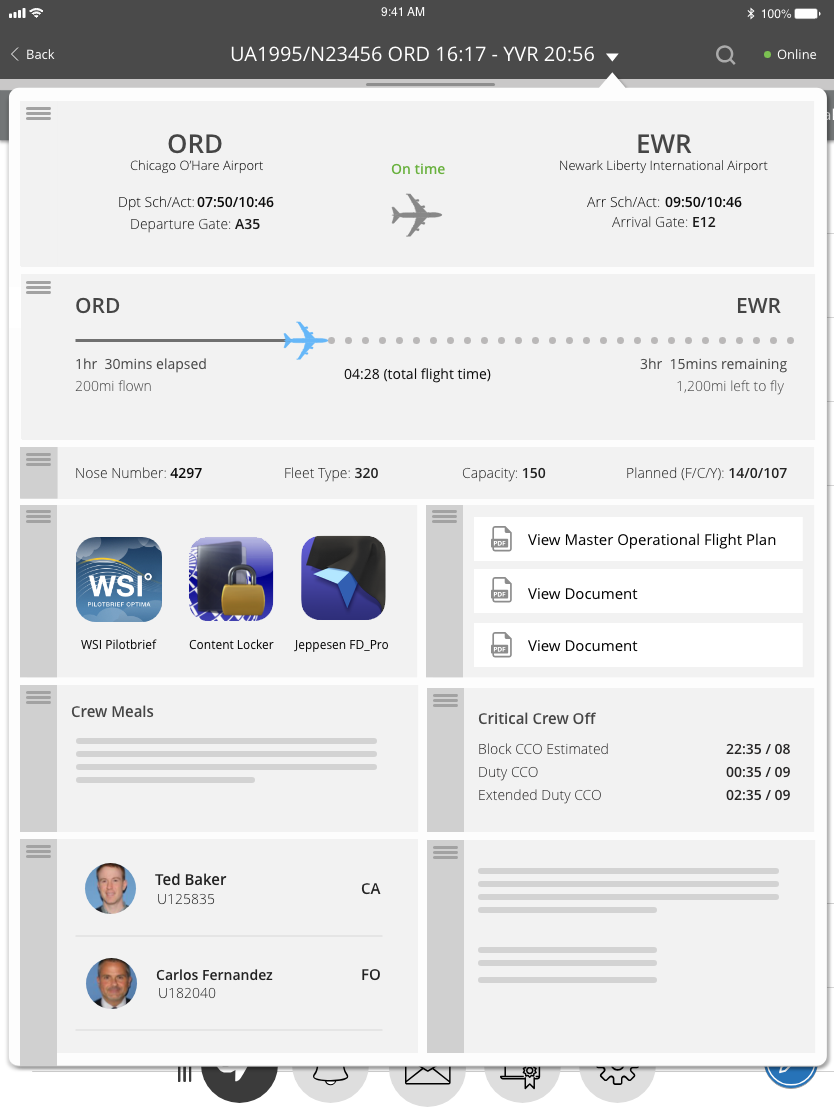
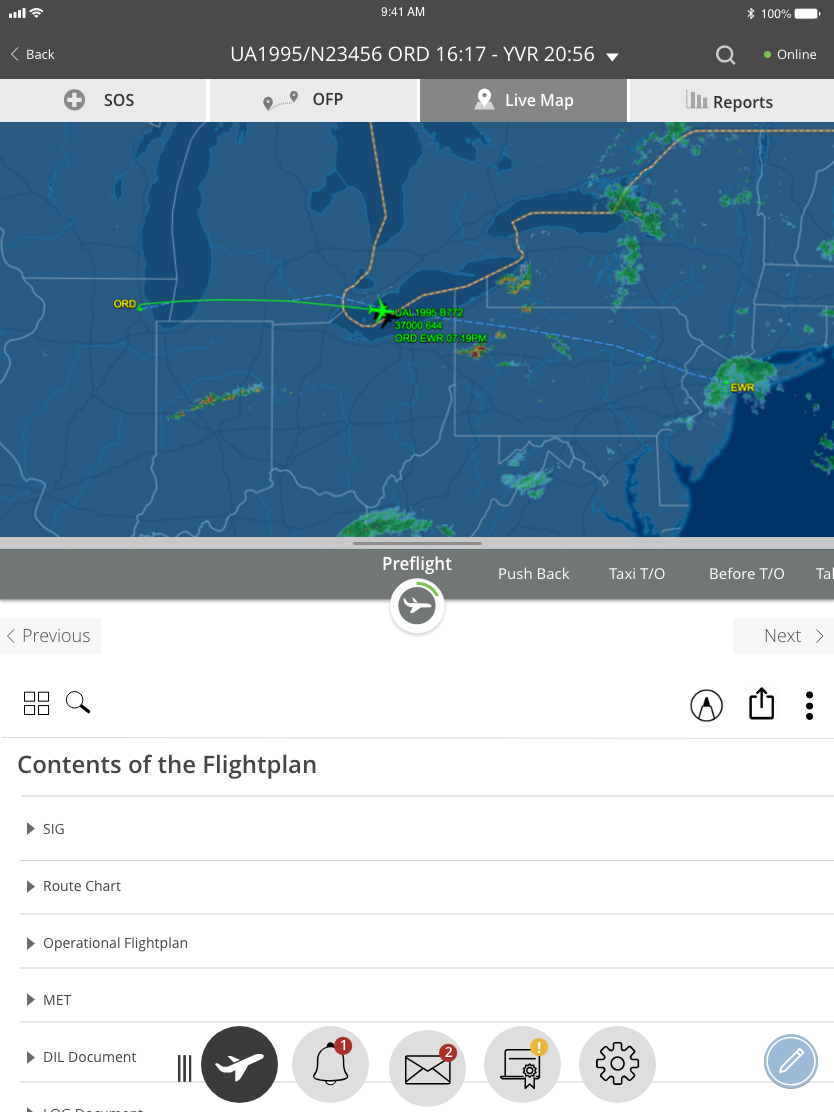
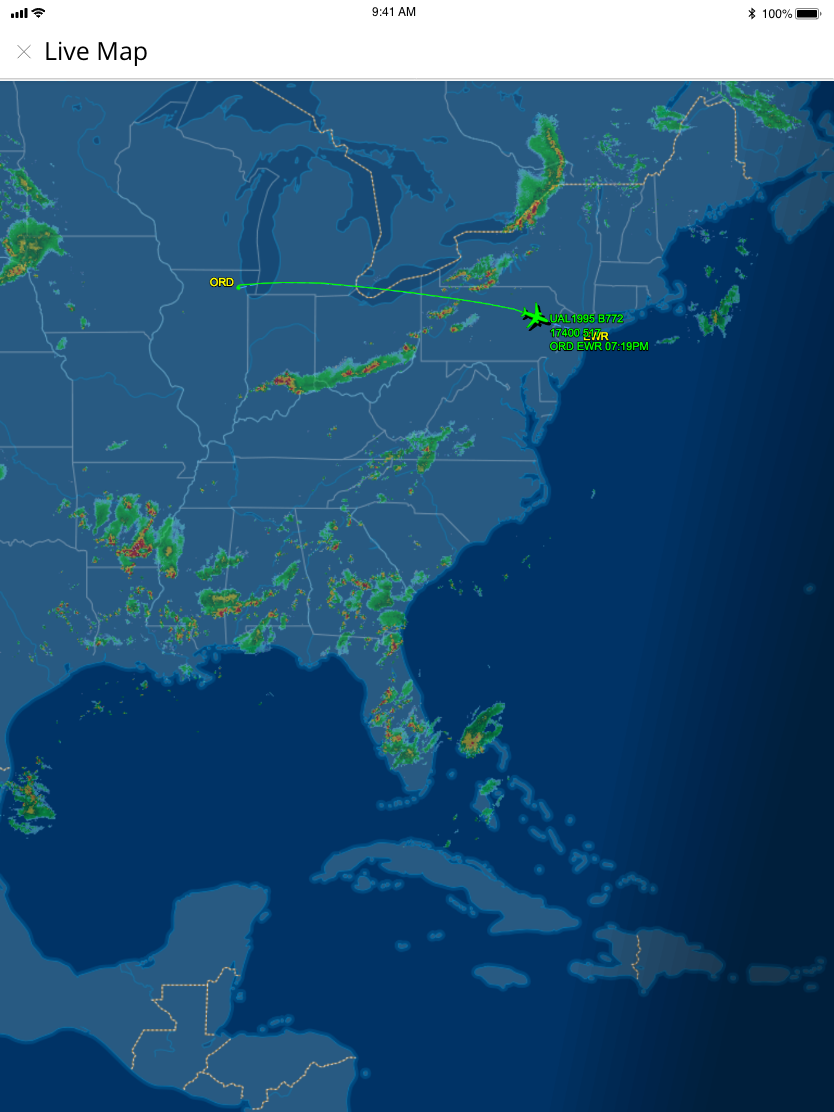
Low Fidelity Prototypes
After we created a more finalized version of our low fidelity wireframes, we needed to demonstrate functionality for our stalkeholders to better understand our workflow. Creating a prototype was a critical activity for this project as it created a platform for engaging our users and stakeholders early on in order to gain feedback and insights before going into a full build of the product. For this I used Adobe XD to create the prototypes.
Visual Design
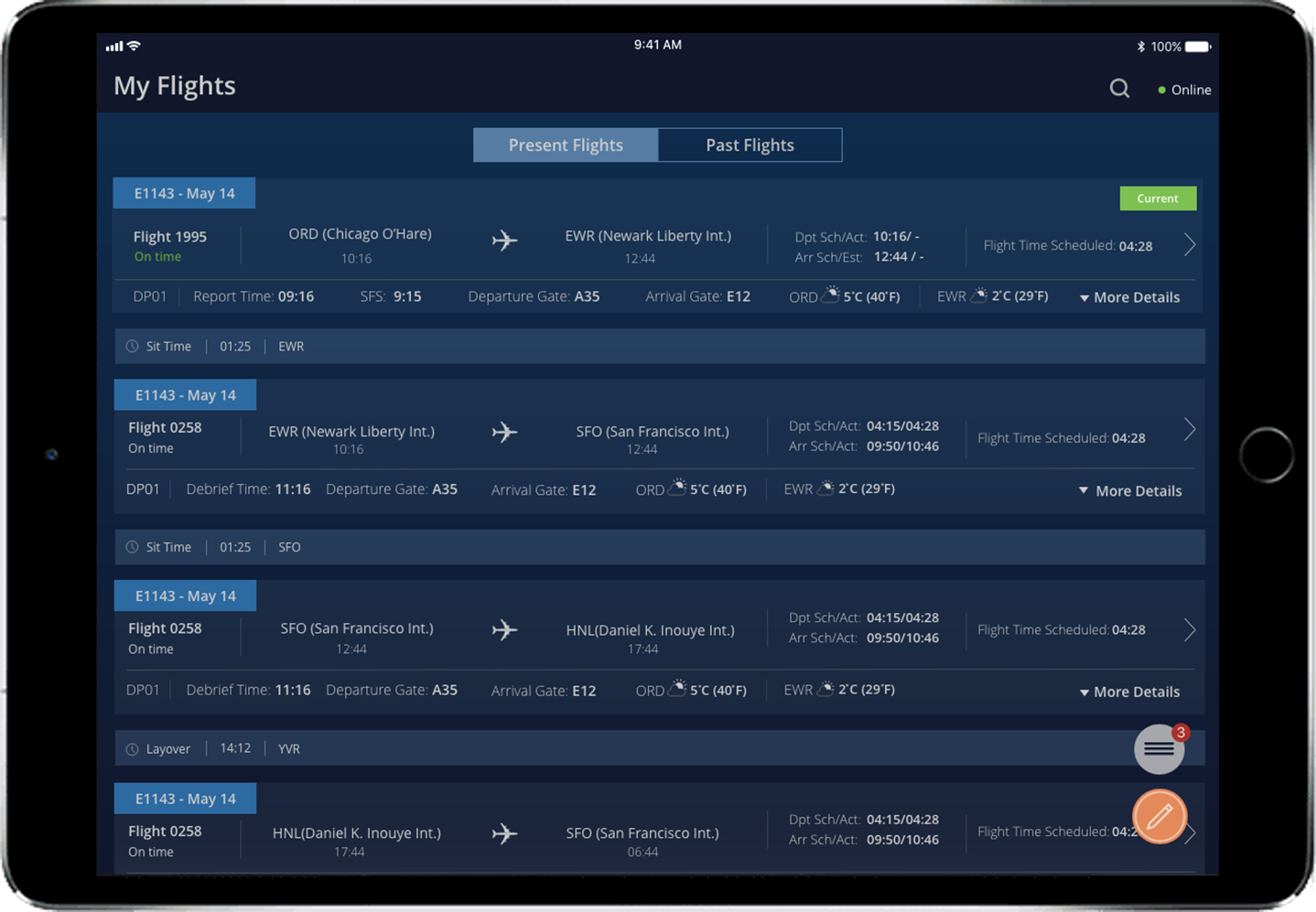
The application was design for both portrait and landscape mode with the understanding that pilots would be using the device in landscape mode most of the time but still have the flexibility to use it in portrait mode if needed. With this color scheme, the light glare would be reduced in the cockpit while still enhancing elements in the design that need to stand out for quick reference without creating glare or light ambience in the cockpit.
High Fidelity Wireframes in Landscape Mode - Dark Mode
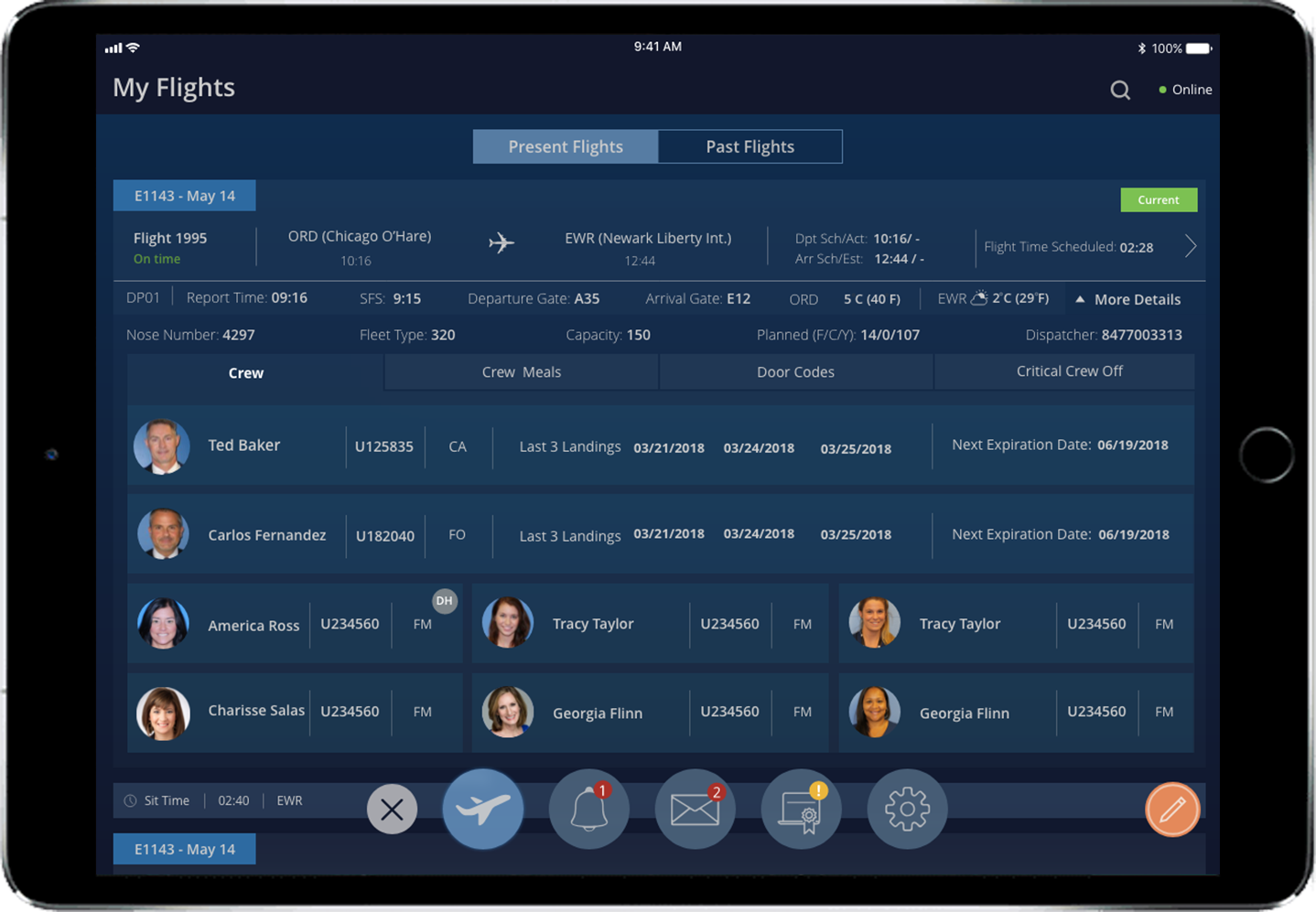
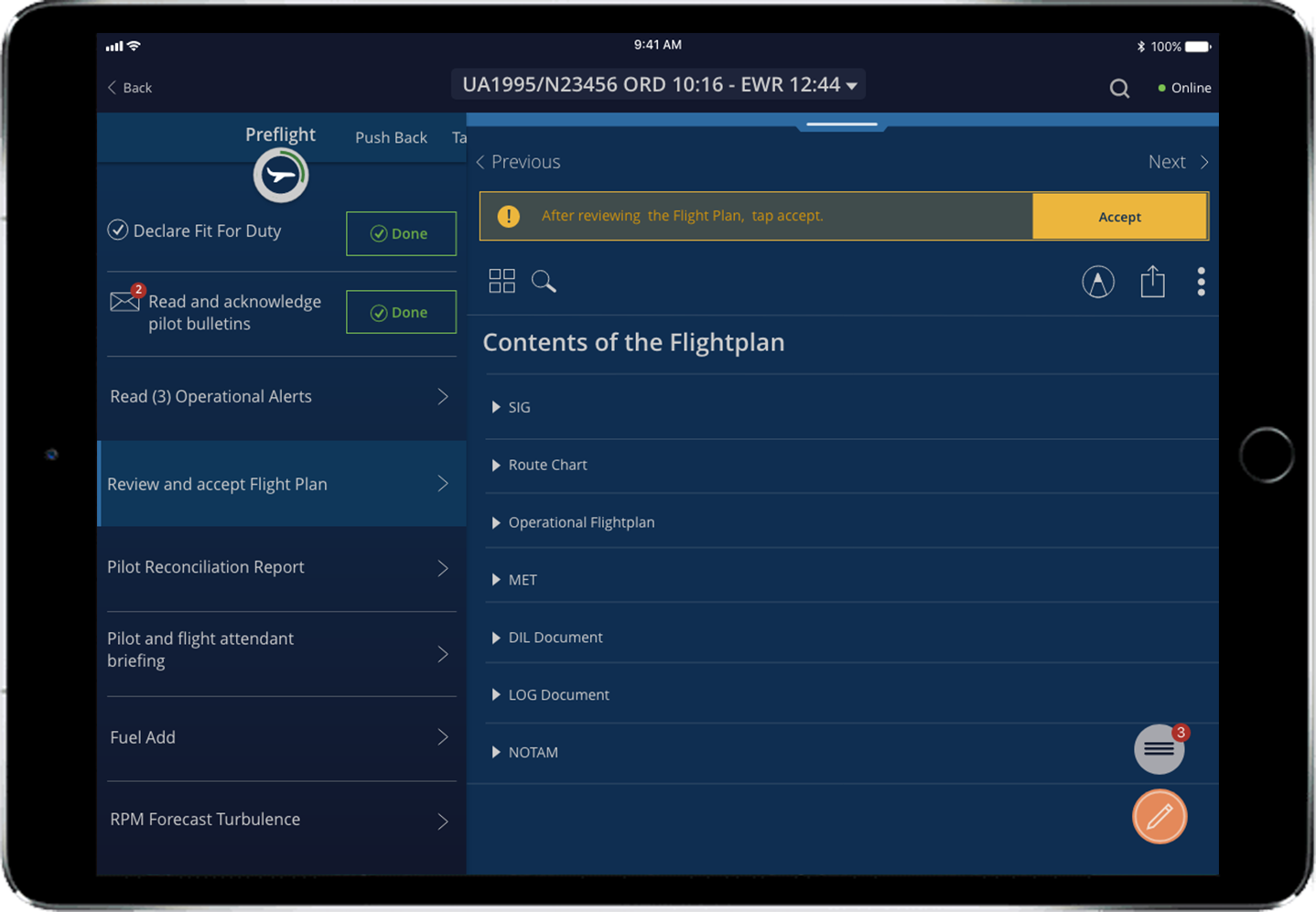
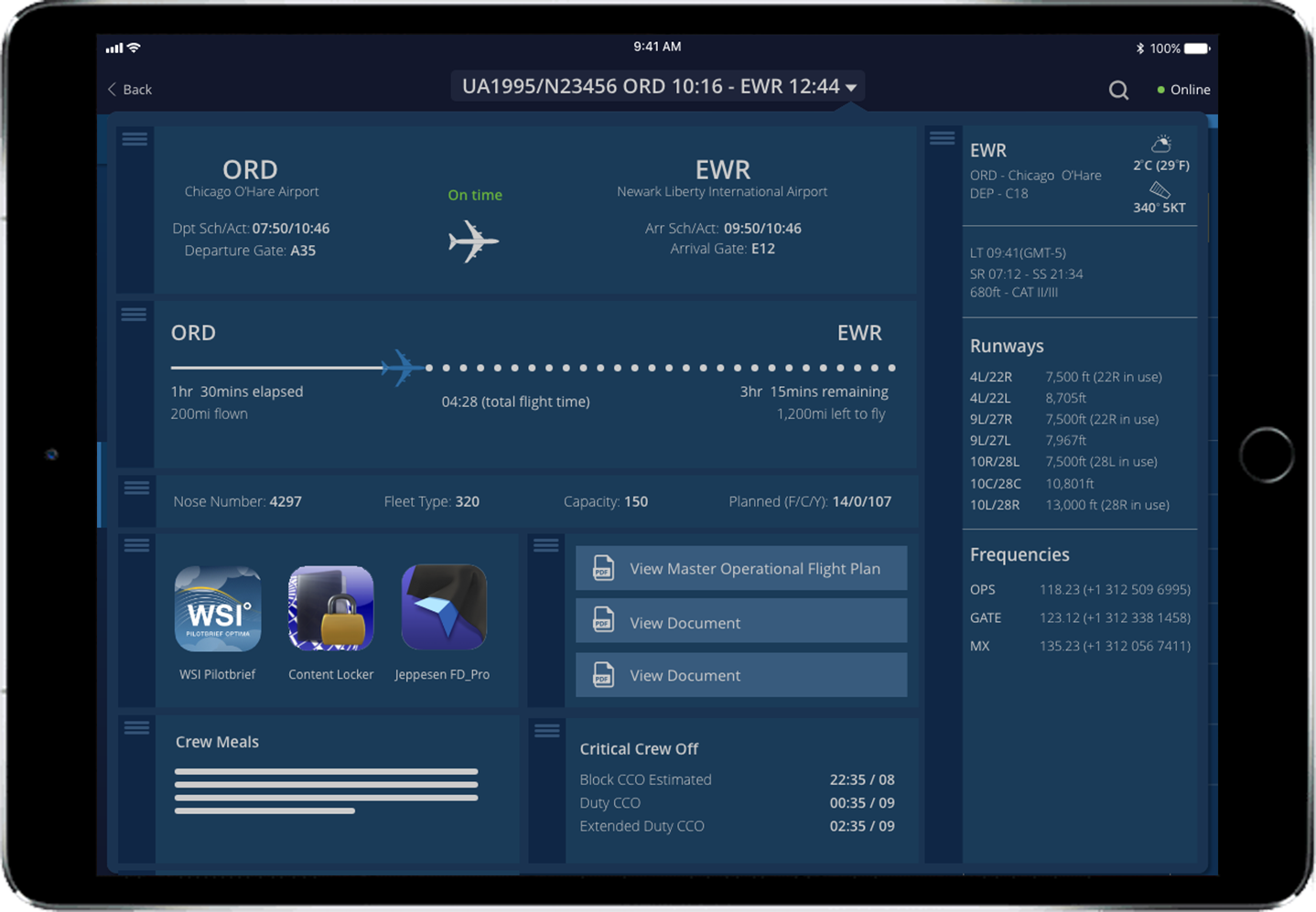
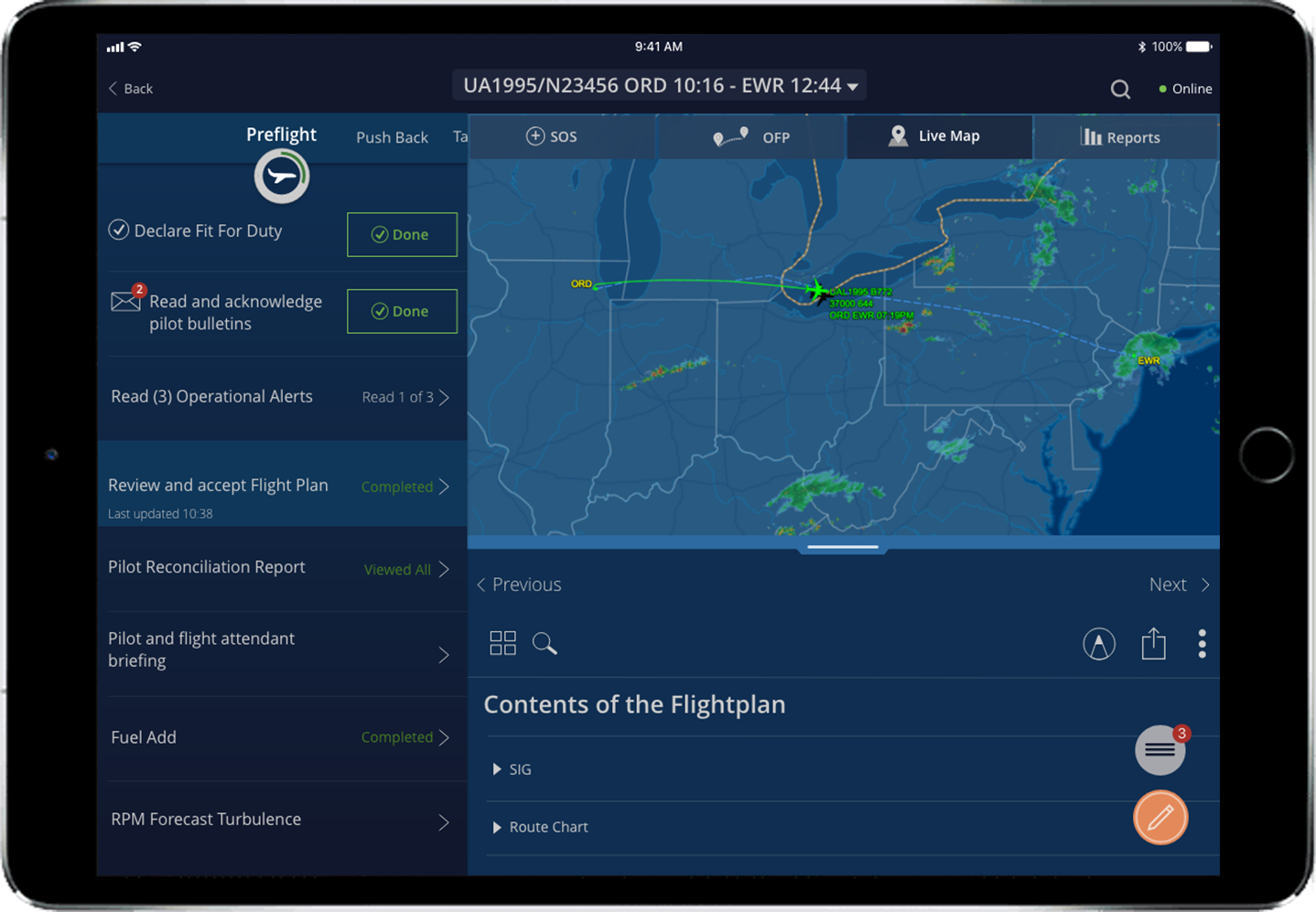
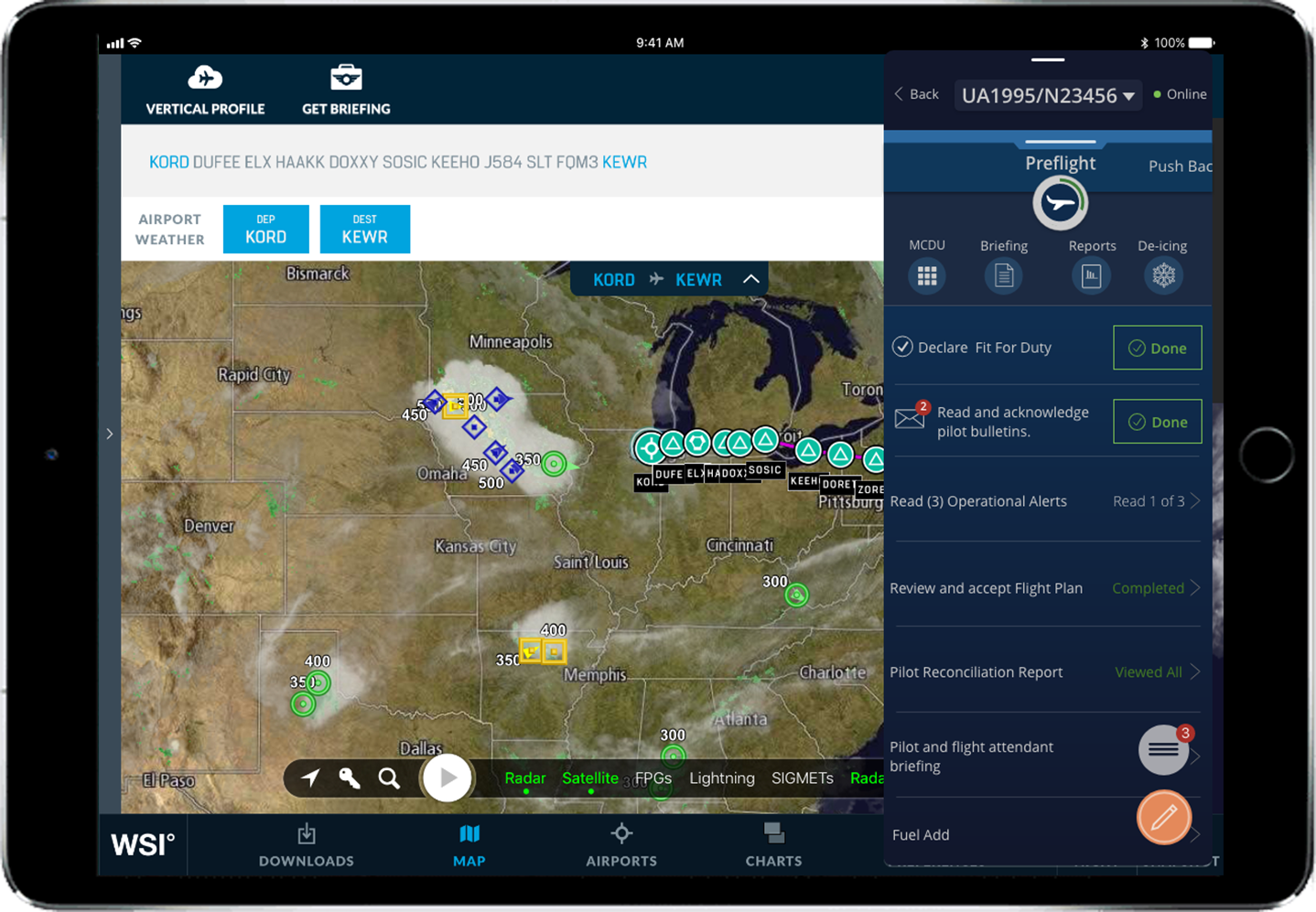
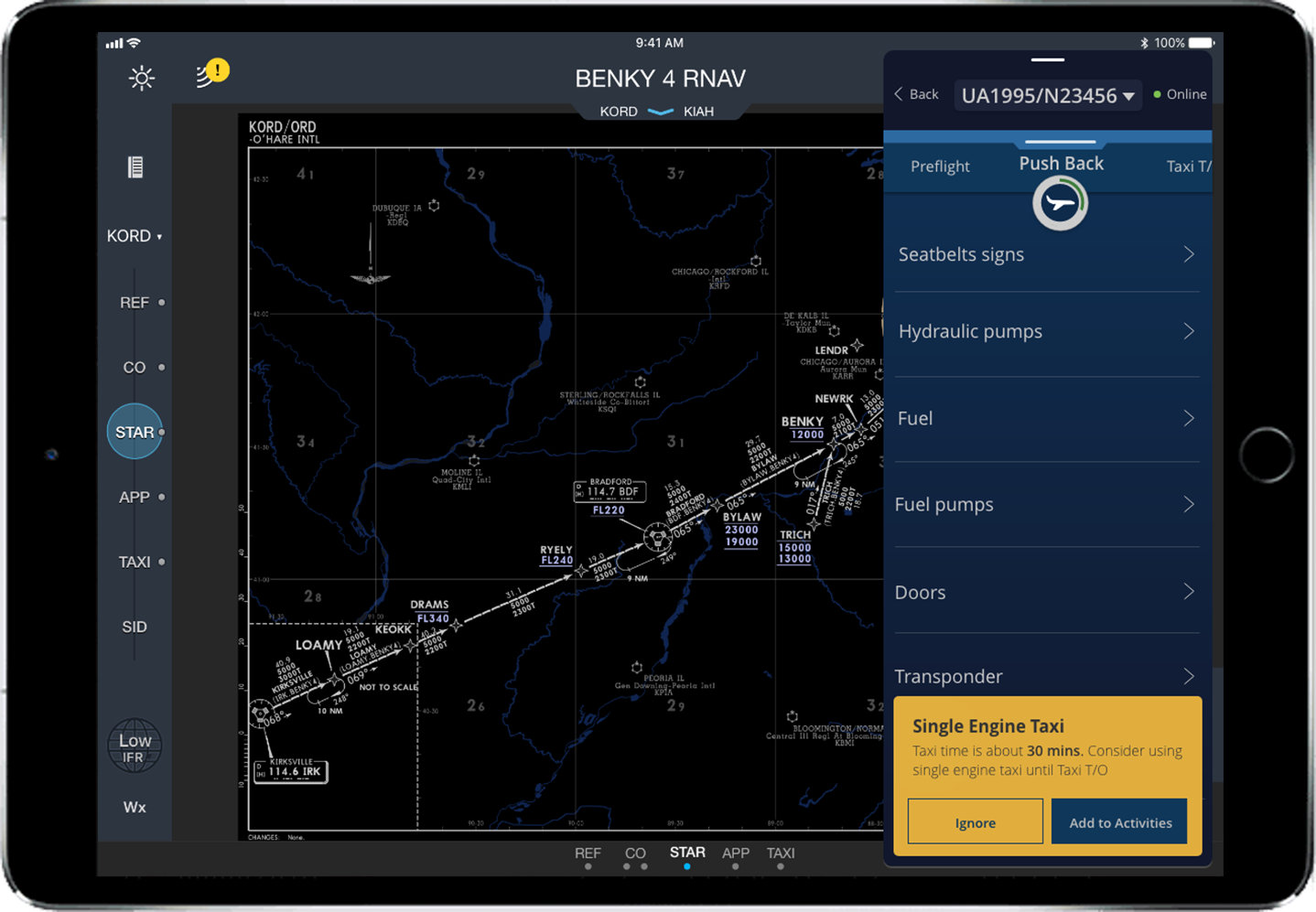
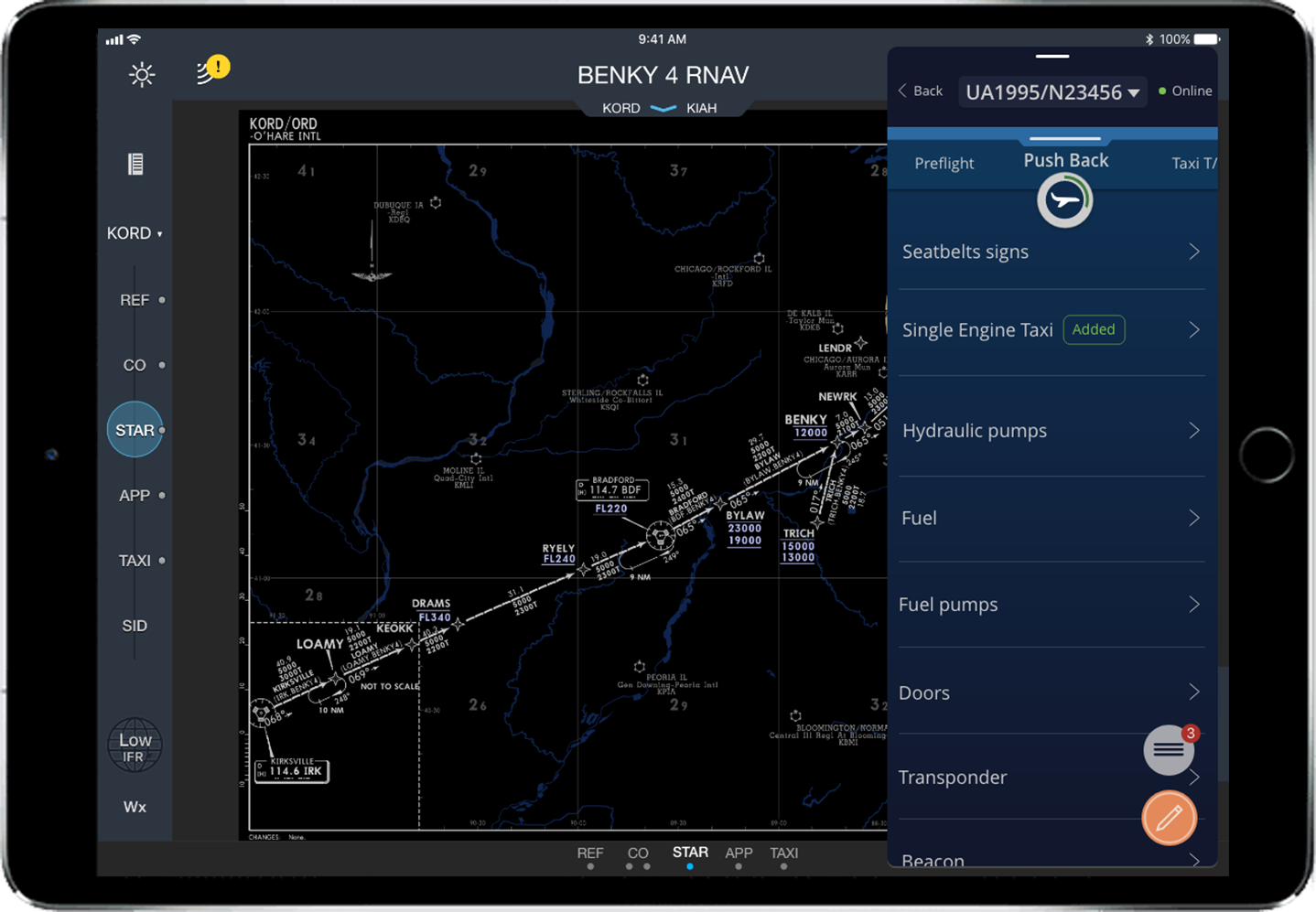
Gif showing some functionality of how the main navigation would work and how the pilot would have the ability to close or open the navigation as needed.